Meet Kili's new audio interface: mark speaker turns on the waveform, edit transcripts segment by segment, and send them to expert review.

Explore the Audio Interface →
Product

Your Imagery Analysts Make the Call, on Geospatial Data That Stays Yours

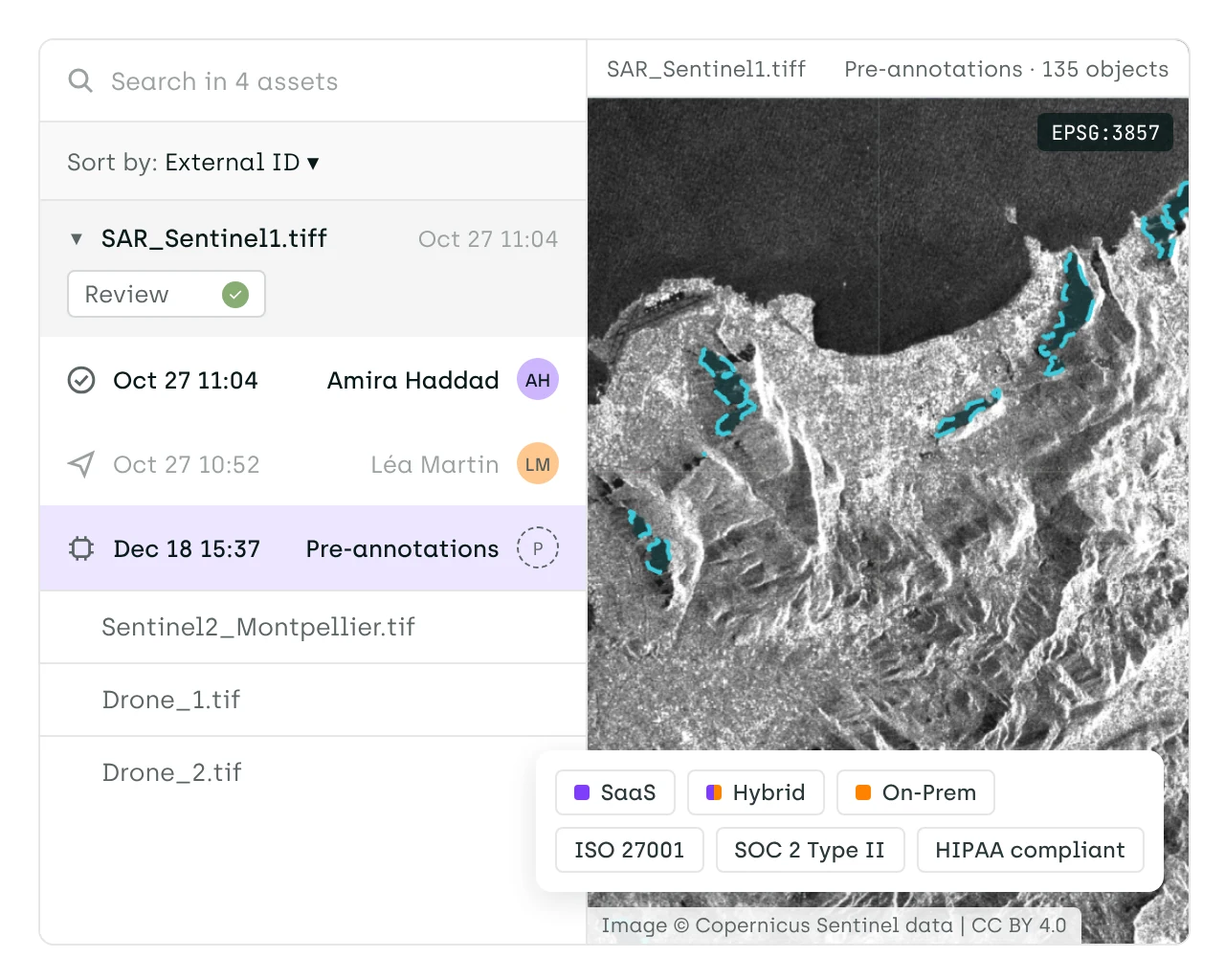
Kili puts your experts on satellite, aerial and drone imagery in its original projection, scores where they disagree with Consensus, and keeps every label version. One platform for expert-in-the-loop AI evaluation, post-training, and geospatial data annotation.

*No credit card required. Risk-free evaluation.

Trusted by the world leaders

Features

Context that makes every correction accurate

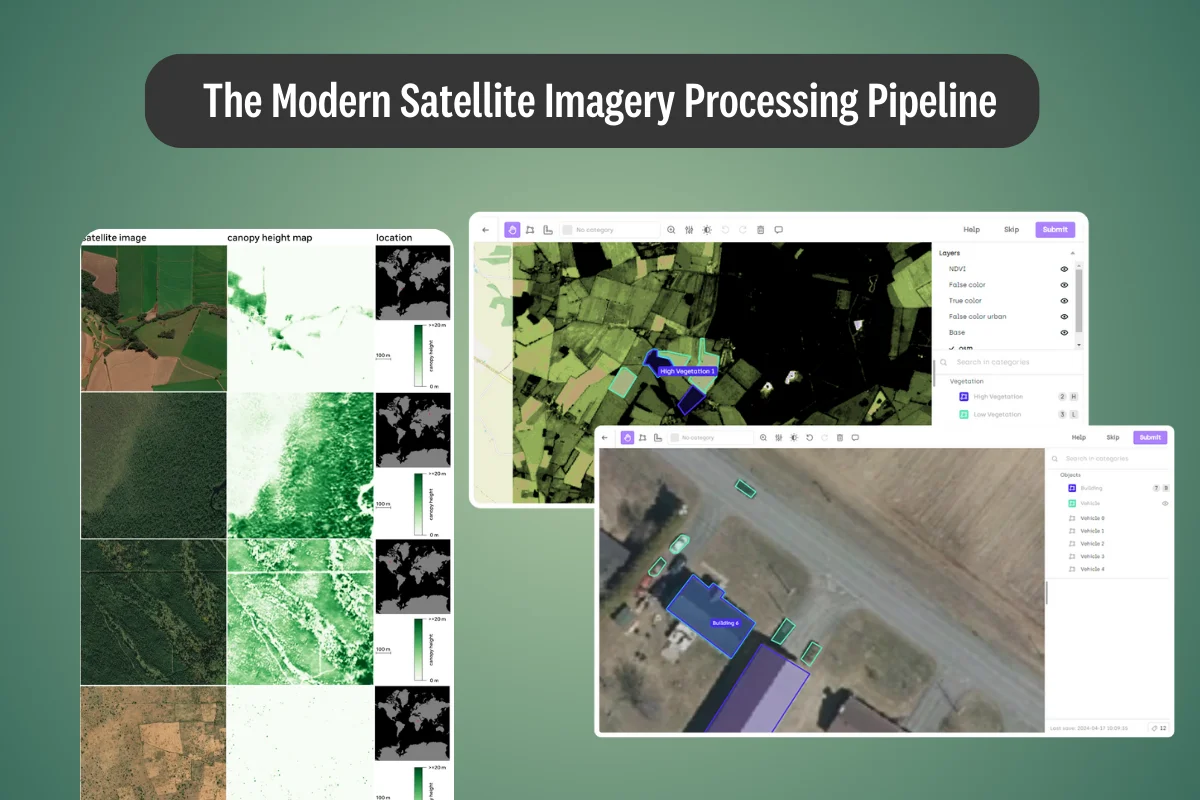
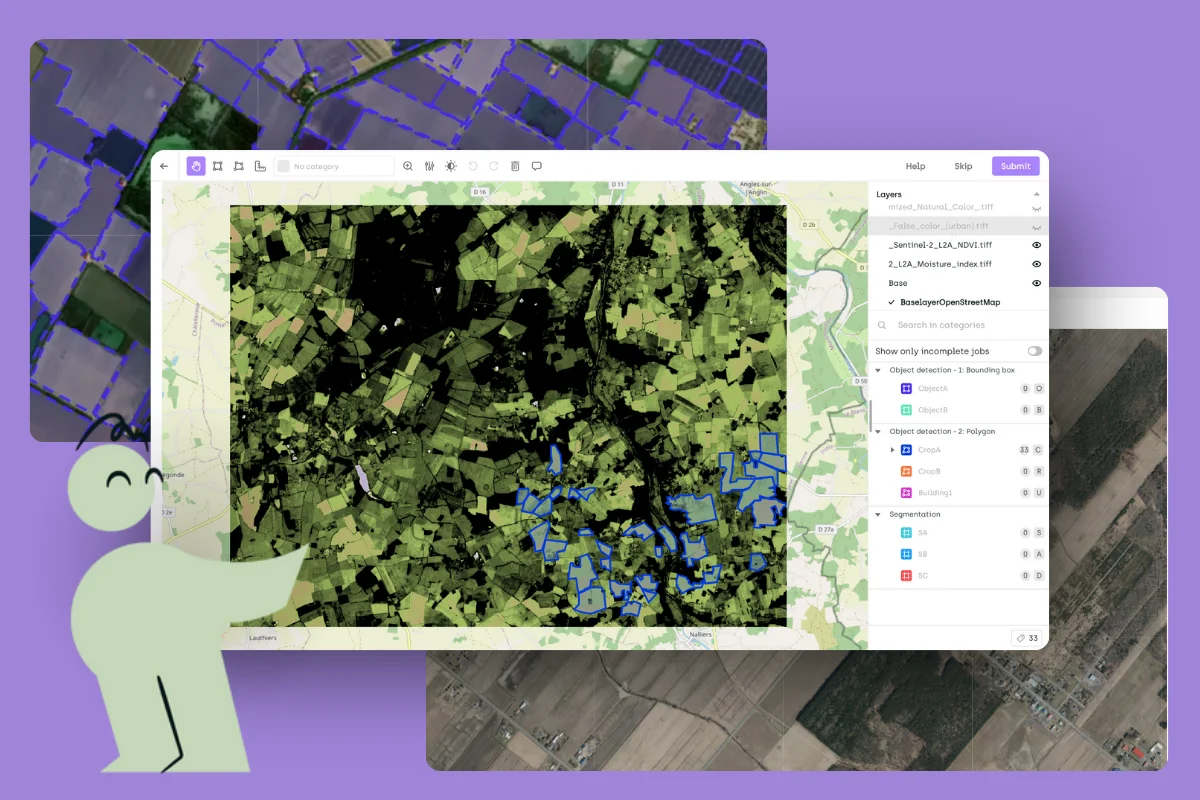
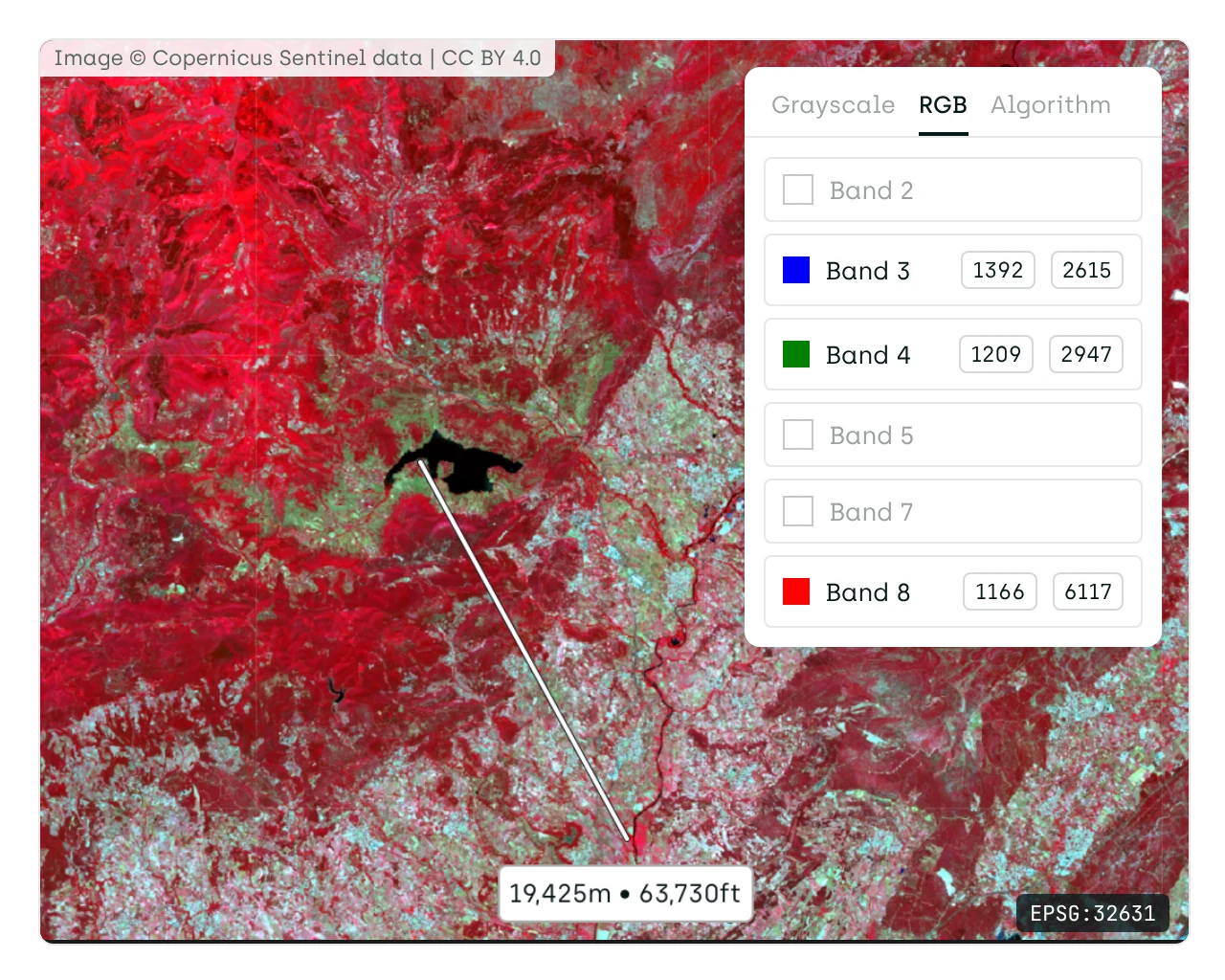
Analysts make the right call because they see what surrounds each object. Images keep their geo-coordinates, base maps and WMS/WMTS layers add context, and band composites or indices such as NDVI show what RGB hides. Labels export as GeoJSON, ready for the GIS tools your team already uses.

See the geospatial tools

Analyst time on the call, not the loading bar

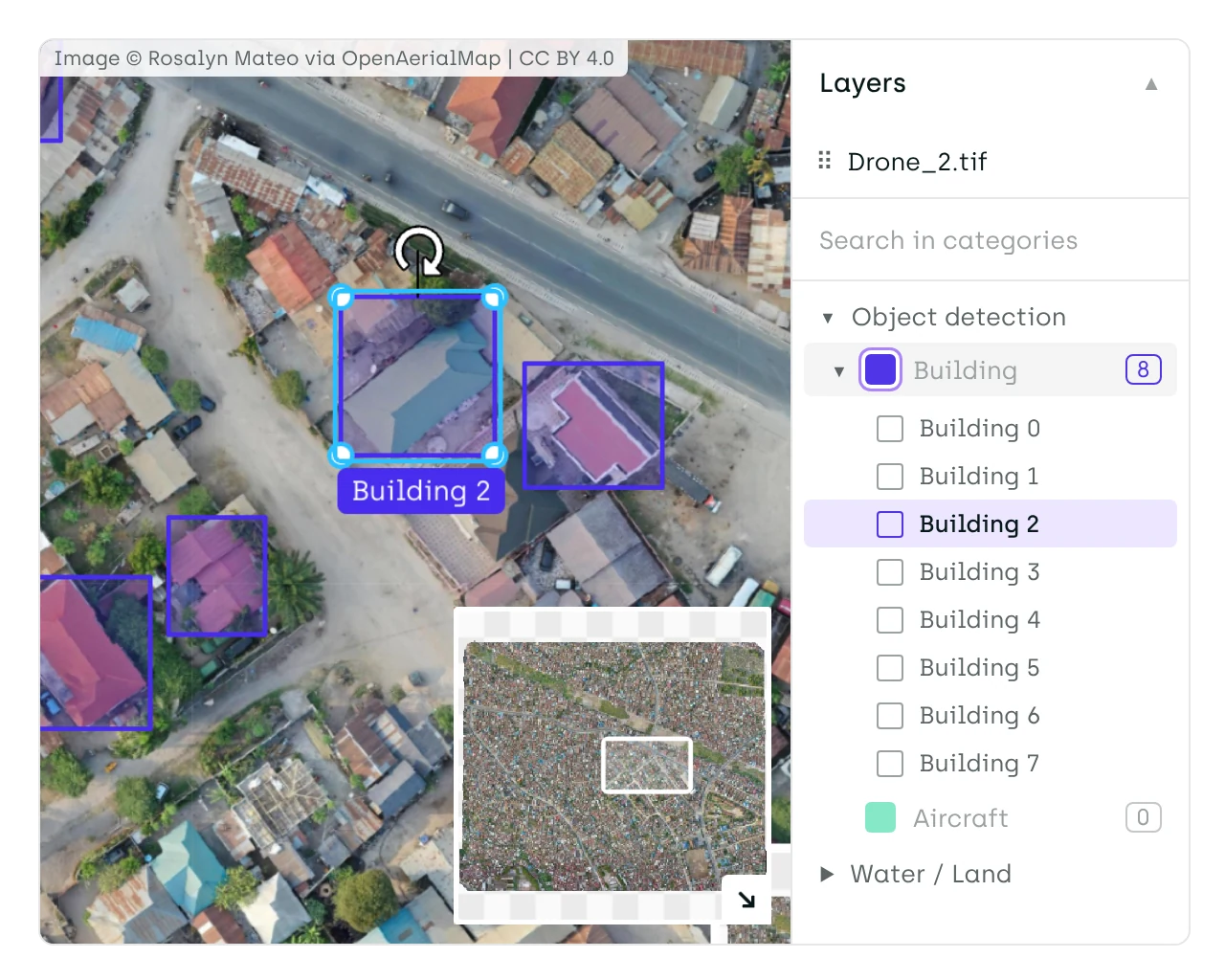
Analysts spend their time deciding, not waiting for scenes to load or hunting for objects. Cloud-Optimized GeoTIFFs stream as dynamic tiles with no downsampling, so large orthomosaics and satellite scenes open at full resolution, and a mini-map with jump-to-object keeps attention on the target.

See how large scenes load

Your imagery stays where your rules say

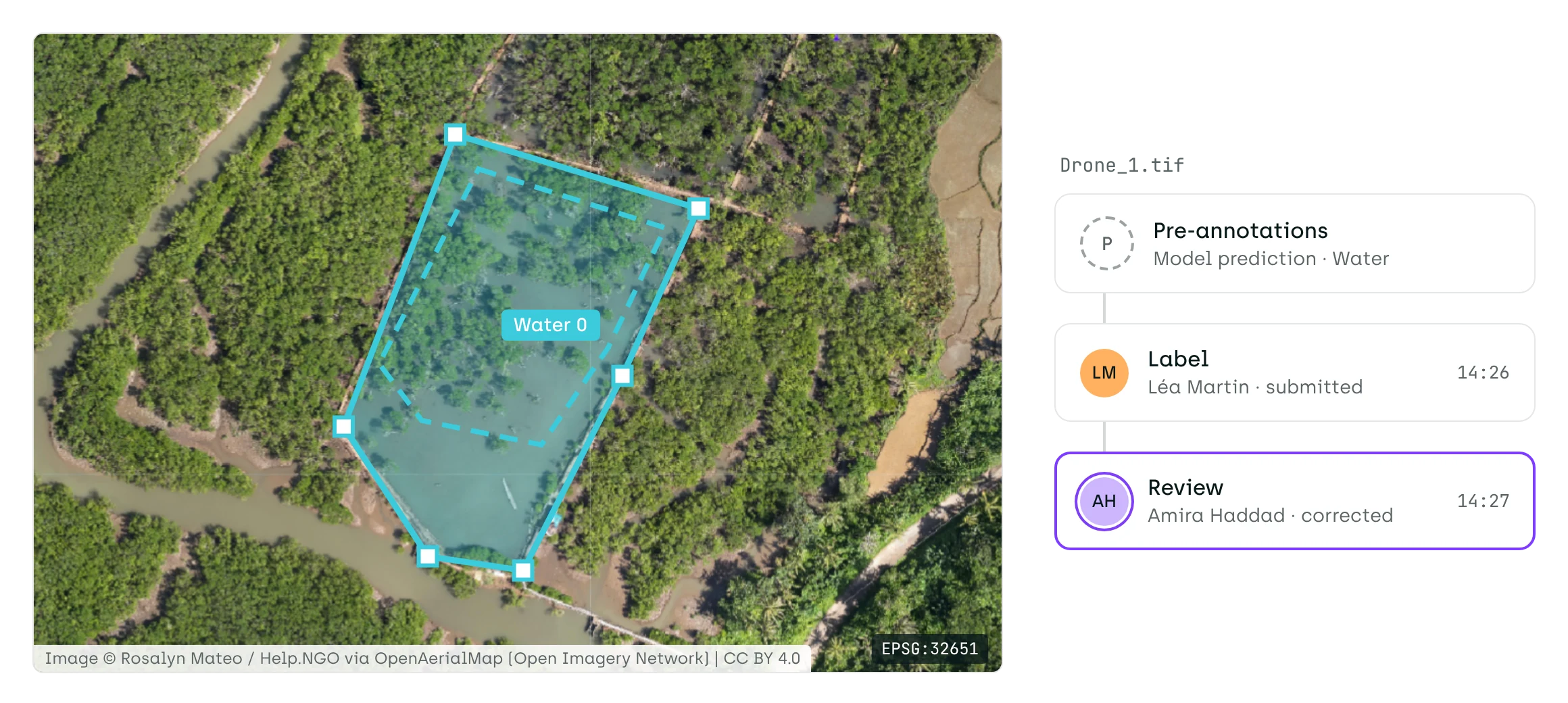
Sensitive imagery stays on infrastructure you control, and no label change is lost. Run Kili on your own Kubernetes, with no internet access needed after installation. Roles, Google or GitHub single sign-on and MFA control who works on what, and every label version keeps its author and date, never overwritten.

Read the hosting options

See if Kili is the best fit for your team and your data

Speak to our team for a free 14-day evaluation.

Geospatial annotation toolkit for imagery experts

Product photo of breast cell segmentation on Kili Technology's platform
  • WMS/WMTS and base map layers

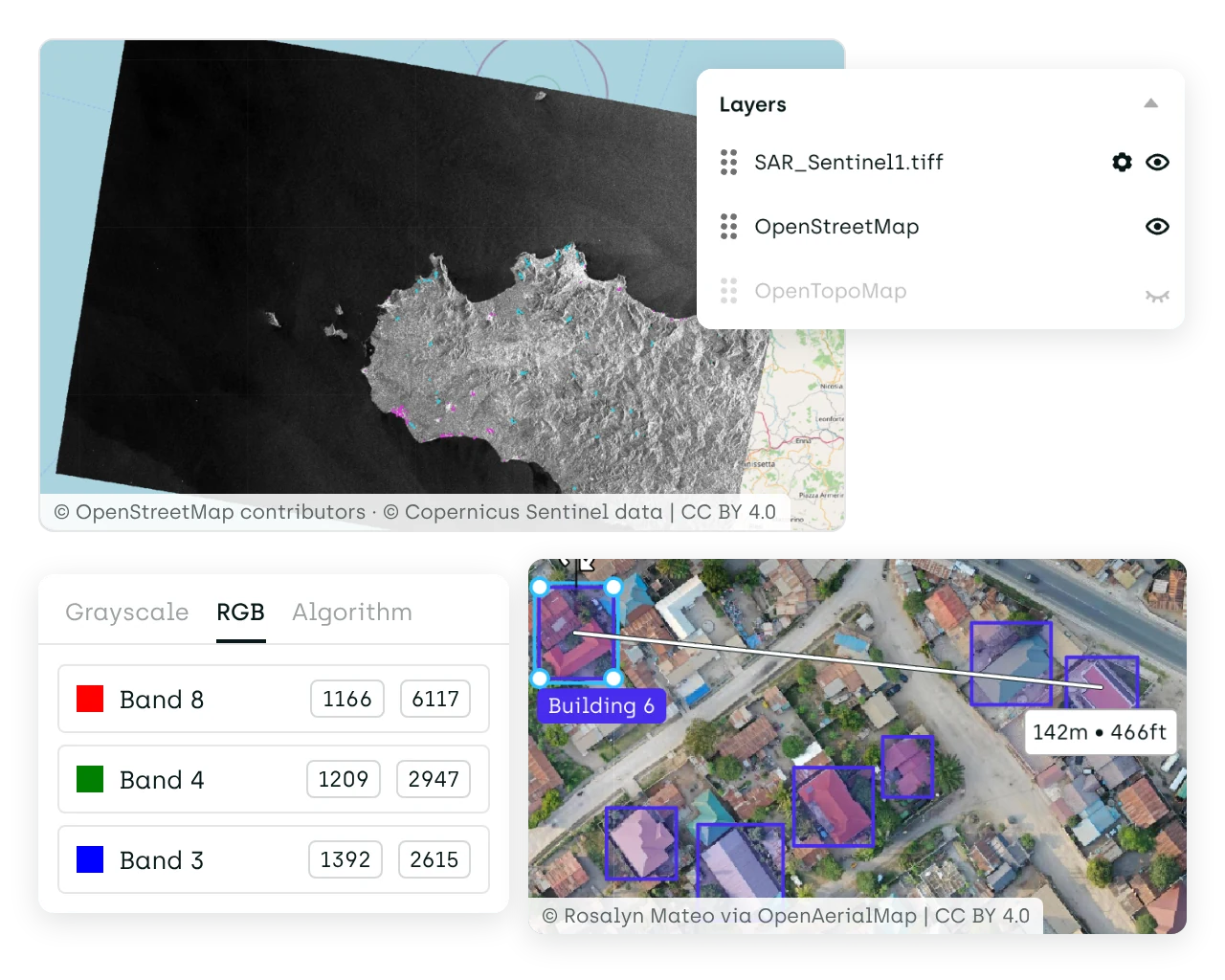
    Add base maps and WMS/WMTS layers from the Layers menu, so analysts see what surrounds each object. Context layers are for display only and never change the asset.
  • Distance measurement

    Measure the distance between any two points in meters and feet, for classes where an object's size decides the label.
  • Native GeoTIFF, JP2 and NTF

    Upload GeoTIFF, JP2 and NTF files with their geo-coordinates and projection kept. Map any bands to RGB, rescale each band, or compute indices such as NDVI.
Tools

Build structured datasets from all data types

Kili Technology is a complete data suite that supports all data types and handles specialized formats for domain-specific requirements.

Geospatial Imagery

Drive reliable mapping and monitoring through high-quality geospatial annotations.

OCR & Document Layout Analysis

Turn unstructured documents into usable data with accurate text extraction and streamlined review workflows.

Natural Language Processing

Annotate text for NER, classification, and sentiment analysis with collaborative workflows.

Image Annotation

Draw boxes, polygons and masks, with Meta's SAM drafting segmentations for your experts to refine.

Video Annotation

Annotate long videos seamlessly and boost productivity with advanced automation.

Audio Annotation

Build quality-focused diarization and transcription workflows to improve ASR and Speaker Diarization models for domain-specific and multilingual use cases.

I have been using Kili for 6 months now on a wide range of labeling use cases (both in computer vision and natural language processing). The stability offered by the tool is essential when you have tight deadlines and large volumes of data to annotate. Our team of over 1000 workers is accustomed to the tool, we were able to easily integrate our workforce management tool with Kili with the SSO functionality.
Kili is a powerful and easy-to-use tool for data labeling and annotation. The interface is user-friendly and offers several interesting features. The customer support team is also responsive and helpful.
Software to engage both labelers and business lines in the necessary but tedious task of labeling and annotation, served by a dedicated team to listen to your problems.
Thanks to the fact that our AI infrastructure now includes Kili Technology, we can use the tool for all kinds of projects... LCL teams can accelerate drastically the creation of their training datasets, which means a significant improvement for all the parties involved.
With the choice of Kili, we are much more confident about the future. We decided to eliminate a large part of the technical debt by choosing a solution that will be perfectly mastered across a whole range of data science and AI projects.
I have been using Kili for 6 months now on a wide range of labeling use cases (both in computer vision and natural language processing). The stability offered by the tool is essential when you have tight deadlines and large volumes of data to annotate. Our team of over 1000 workers is accustomed to the tool, we were able to easily integrate our workforce management tool with Kili with the SSO functionality.
Kili is a powerful and easy-to-use tool for data labeling and annotation. The interface is user-friendly and offers several interesting features. The customer support team is also responsive and helpful.
Software to engage both labelers and business lines in the necessary but tedious task of labeling and annotation, served by a dedicated team to listen to your problems.
Thanks to the fact that our AI infrastructure now includes Kili Technology, we can use the tool for all kinds of projects... LCL teams can accelerate drastically the creation of their training datasets, which means a significant improvement for all the parties involved.
With the choice of Kili, we are much more confident about the future. We decided to eliminate a large part of the technical debt by choosing a solution that will be perfectly mastered across a whole range of data science and AI projects.
FAQ

Need help?

Got questions about Kili Technology? Check out our FAQ. If you can't find it in this list, drop a question for our team.

What geospatial file formats does Kili support?
How does Kili handle large satellite and drone imagery files?
Can Kili process multispectral imagery?
What annotation types are available for geospatial data?
How does Kili measure annotation quality on satellite imagery?
What deployment options are available for sensitive geospatial data?
How many annotators can work on one geospatial project?