.png)

_logo%201.svg)


AI Summary
- Vision annotation split in two: cloud tools built for speed, and platforms you run yourself.
- Vision data can't be de-identified by redacting a string, so deployment architecture is a harder gate here than in text or tabular annotation.
- Security messaging and security proof are separable claims: a footer badge is not an attestation, and a live security page can return a 404.
- A bad label that reaches production is unrecoverable, which is why gating quality in the workflow beats reporting on it after the fact — especially once a programme is running many projects at once.
Transparency note: This guide is published by Kili Technology, a data labeling platform for enterprise AI operations. We rank ourselves first, and we'll explain why. We've also been honest about where other platforms are the better fit for specific computer vision requirements.
What Counts as a Computer Vision Data Labeling Tool in 2026?
Three different things get called a data annotation tool, and conflating them is how procurement goes wrong.
An image annotation tool is an editor. It opens a file, gives you shapes to draw, and writes out a JSON or a mask. For a research prototype or a one-off dataset of a few thousand images, that is all you need, and paying for more is waste.
A computer vision data labeling tool adds the surrounding machinery: a versioned ontology, model-assisted pre-labeling, a review step, import and export that survive contact with a training pipeline. Dataset management arrives at this tier too, meaning dataset versioning and annotation formats that convert without a bespoke script each time. A bounding box labeling tool and an image segmentation labeling tool also stop being separate products here; they become two job types in one ontology. Most of the market lives at this level.
A vision data operation is the third tier, and it is what the audience for this guide is buying. It assumes many projects running at once, several data types inside one programme, annotators and reviewers whose roles stay separate for the output to mean anything, throughput and accuracy tracked per person, and a deployment story that satisfies strict data governance requirements rather than merely describing them. We covered the platform layer across modalities in our guide to the 8 best data labeling platforms for large-scale annotation; this article narrows to vision and adds the constraint that the platform runs where you choose.
One question sets your tier: what happens when the pilot works? An editor scales to more images — not to more projects, more reviewers, or an auditor asking how you know the labels are right.
How Should You Choose the Best Data Labeling Software for Computer Vision?
Seven criteria, in the order they tend to eliminate options. Our general framework for comparing data labeling tools applies across modalities; what follows is the vision-specific version, where the failure modes are different.
1. Vision data type coverage. Ask which of these the platform handles natively: still images, video, 3D point clouds and LiDAR, DICOM or NIfTI volumes, georeferenced imagery. Video annotation tooling is where the definitions get slippery, so pin it down early. Some platforms give you a genuine timeline, where an object exists across a frame range, carries an identity, and can be interpolated between keyframes. Others decompose the video into stills at a sampling rate and hand you an image dataset — both are legitimate products, but only the timeline lets you annotate motion. If object tracking is part of the task, your video data has to carry identity across frames, and that is a property of the timeline. Ask the same question of any synchronised sensor data in the set, because visual data arriving alongside a point cloud is a different problem from visual data on its own.
2. Annotation primitives and editor ergonomics. The annotation types are not interchangeable, because each encodes a different question. Object detection with bounding boxes asks where a thing is. Polygon annotations provide precise boundaries for irregularly shaped objects, and precise annotation costs more per label, which is why nobody reaches for a polygon when a box will do. Semantic segmentation assigns a class label to every pixel in an image, so it answers what each pixel is without separating one car from the car behind it. Instance segmentation adds that separation, distinguishing individual object instances within the same class. Keypoint annotation marks precise points on object features, which is where pose estimation gets its skeletons. Cuboids, brush masks and cross-frame tracking complete the set.
Coverage is easy to check on a feature page. Ergonomics is not, and the labour cost of labeling objects is most of the budget. How many clicks to correct a mask edge? Can a bounding box prompt a segmentation model? Run a timed pilot on your own hardest assets and count.
3. Model-assisted labeling. AI assisted annotation spans a range: interactive segmentation, where a click or a box produces a mask; automatic annotation, where a model pre-labels the batch and humans correct it; and automated annotation loops that surface only the assets the model is unsure about, which is what active learning buys you. SAM 2 and SAM 3 integration, auto-tracking and pre-labeling from a model you already trained all sit somewhere on that range. Every vendor here publishes a speed multiplier and almost none source it. Ask what the number was measured on, with how many annotators, against what baseline. A 10x claim on a bounding-box task tells you nothing about your segmentation throughput, or about how much of the gain from AI assisted labeling survives to model training.
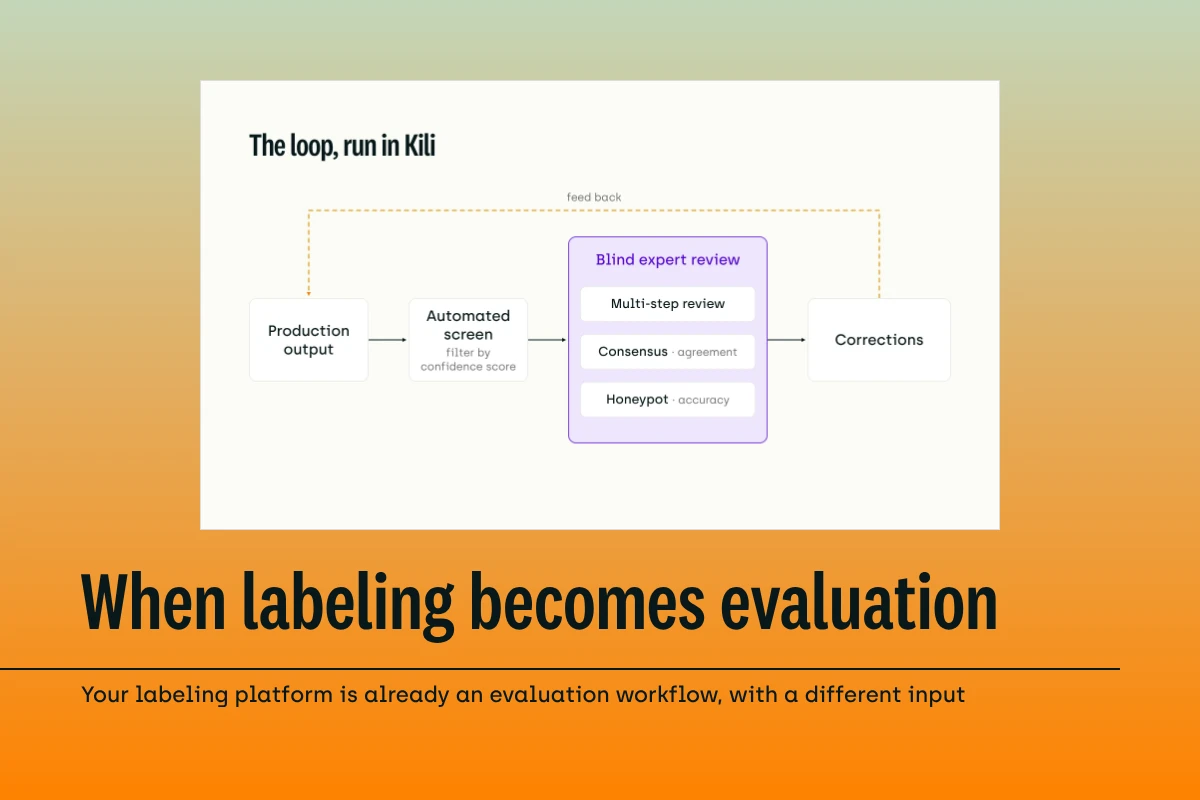
4. Quality construction, not quality reporting. This separates platforms that survive scale from platforms that do not, and it's easy to skip in a demo. Almost every other mistake in the data labeling process is recoverable; a bad label that reached production is not. Look for four mechanisms: consensus with a configurable number of agreeing annotators, gold-standard or honeypot assets injected into the live queue, multi-stage review with a sampling rate you set per transition, and agreement scoring between human labels and model predictions. Then ask the harder question: does any of it gate anything? A consensus score computed retroactively in a reporting app tells you which assets were disputed. A consensus stage in the workflow stops those assets reaching your training set. Most vendors own more of this machinery than they merchandise, so ask for the screenshot rather than reading absence off a marketing page.
5. Deployment and data sovereignty. SaaS, VPC, hybrid data, full on-premise, air-gapped. Security messaging and security proof are separable assets, and CVAT is the clean illustration: it sells deployment control as hard as anyone in this market, with "run it on your own infrastructure" in the hero, and had no security page at all when we checked on 26 August 2026. Neither position is dishonest. They answer different questions, and procurement needs both answered. Three specifics settle most of it: where the raw data physically sits at each stage, whether cloud storage buckets can be scoped to individual projects, and whether the data security claims come with an attestation behind them or only a paragraph. Our guide to on-premise data labeling platforms for regulated industries goes deeper on what each deployment mode commits the vendor to.
6. Multi-project and workforce operations. Per-annotator performance tracking, role separation the platform enforces rather than suggests, data isolation between projects, and published ceilings. Collaboration features usually get demoed as comments and assignment. What actually decides anything is who is permitted to do what at each stage of the labeling process. Chase the ceilings down: they usually live in documentation rather than on the pricing page, and they are where growth plans die. Encord publishes a ceiling of 5,000,000 labels per project on Enterprise, one million on Team, and 500,000 tasks per workflow project on both. Tractable's Head of Operations, Camilla Gilchrist, named the underlying problem while scaling a remote team past 40 annotators: "Managing QA workflows efficiently and having an overview of the entire annotation process has been so important for our success. The more manual that QA process is, the more the amount of work explodes as the annotation workforce scales." Cost your QA mechanism at the headcount you expect in two years, not the one you have.
7. API, SDK and pipeline automation. Programmatic project creation, asset upload, label import and export, webhooks, plugins that run server-side on submit or review. The test is whether the pipeline runs without a human touching the UI. Pipeline integration is also where the model evaluation loop closes: predictions come back in, get scored against human labels, and the disagreements become the next batch to label. A rich editor on a thin API becomes a bottleneck once annotation turns into an ongoing process instead of a one-off project.
Which Computer Vision Annotation Tool Fits Your Team?
Most computer vision projects land in one of seven situations.
| Reader situation | Platform |
|---|---|
| Regulated or air-gapped CV operations at scale | Kili |
| Free self-hosted CV editor, engineering capacity available | CVAT |
| Fastest path from images to a deployed model | Roboflow |
| Self-hosted commercial platform with native video and 3D | Supervisely |
| Robotics, ADAS and sensor fusion | Encord |
| Broadest modality coverage in open source | Label Studio |
| Coordinating annotation across multiple external vendors | Dataloop |
How Do the Top Computer Vision Annotation Tools Compare?
All cells verified against live pages and product documentation on 26 August 2026.
| Platform | Vision data types | Video annotation | Model-assisted labeling | Quality construction | Deployment | Certifications |
|---|---|---|---|---|---|---|
| Kili | Image, video, geospatial (+ text, PDF, audio in beta) | Timeline; keyframe interpolation for boxes and points; smart tracking (boxes) | SAM 2 interactive segmentation, two tiers; SAM 2 video segmentation (beta) | Constructed: honeypot, consensus, review score, human–model IoU; per-transition sampling; step separation on by default | SaaS, Azure Marketplace managed app, hybrid data, on-prem Kubernetes or Docker | SOC 2 Type II, ISO 27001:2022, HIPAA |
| CVAT | Image, video, 3D point cloud | Timeline | SAM 2, SAM 3, Ultralytics, Hugging Face, AI agents | Ground truth jobs, honeypots, consensus replicas, documented | Self-hosted (MIT core), cloud, Enterprise | None claimed; states GDPR, CCPA, EU AI Act |
| Roboflow | Image; video ingested as sampled frames | Frames | SAM 3 via Label Assist; multi-model auto-labeling in Workflows | Reported: single review stage, per-labeler Annotation Insights | Cloud annotation; self-hosted and air-gapped inference only | SOC 2 (type unstated), HIPAA |
| Supervisely | Image, video, DICOM, point cloud | Timeline; interpolation, auto tracking, sensor fusion | SAM 2, RITM interactive segmentation retrainable on your data | Reported: consensus as a retroactive app, random-sample review | Cloud, self-hosted behind your VPN or VPC, Kubernetes, offline mode | None; claims “SOC2 aligned”; “meets HIPAA/GDPR standards” |
| Encord | Image, video, DICOM, NIfTI, LiDAR, geospatial, ECG (+ text, audio, HTML, document) | Timeline | Model-assisted labeling and automation | Constructed: consensus stages, multi-stage review, percentage router; benchmark QA manual | Cloud all tiers; VPC and on-prem add-on, included at Enterprise | SOC 2 (type unstated on security page), HIPAA, GDPR |
| Label Studio | Image, video, audio, text, PDF, time series | Timeline with interpolation in open source; agreement layer Enterprise-only | Prelabeling, LLM-as-judge | Constructed at Enterprise only: agreement dashboards, per-annotator drift, overlap configuration | Community on-prem, Starter cloud, Enterprise cloud or on-prem; air-gapped offered | SOC 2 Type 2, HIPAA |
| Dataloop | Image, video, LiDAR and 3D | Video annotation studio, documented but not merchandised | AI Annotation Assistant | Consensus and honeypot named once, framed as automation features | Cloud; Kubernetes-powered on-premise and private storage | GDPR, ISO 27001, ISO 27701, SOC 2 Type II |
What Does Each Computer Vision Annotation Tool Actually Offer?
Entries run roughly from most vision-specific to most general-purpose. Kili is first because we publish this guide, which is the honest reason; everything below is checkable on the pages we link.
1. Kili Technology
Best for: Organisations running computer vision annotation as a continuing operation across multiple projects and data types, where the data cannot stay in a vendor cloud and the quality evidence has to hold up under audit.
Kili is built on the premise that deployment mode should not decide how good your labels are. The hosting documentation sets out SaaS on Google Cloud and Azure, an Azure Marketplace managed application inside the customer's own private subscription, and full on-premise on Kubernetes or any Docker-capable runtime. A fourth contractual mode, On-Premise Data, runs the software as SaaS while customer data stays on customer infrastructure and Kili does not access it. Internet and root access are required during installation only; the docs state plainly that neither is needed afterwards, which is what makes an air-gapped install possible. Kili's security and compliance page claims the range explicitly, "from fully managed cloud to air-gapped on-premise," and lists SOC 2 Type II, ISO 27001:2022 and HIPAA with annual audits.
The quality-at-scale layer is where the platform's argument sits. Four metrics are calculated by the platform: honeypot, consensus, review score and human–model IoU, surfaced per asset and per labeler. The workflow configuration is what puts them to use: review is multi-step, each transition carries its own sampling rate ("if the sampling rate between two steps is set to 80%, then 80% of the assets that complete the previous step will be sent to the next one"), and Enforce Step Separation is on by default, so a member cannot work on more than one step for the same asset. Separation of duties is a default here rather than a policy you write down and hope holds. Four project roles sit on top, and storage integrations for AWS S3, Azure Blob and Google Cloud can be restricted to an allowed list of projects.
Image projects offer seven object-detection tools: bounding box, line, point, polygon, pose estimation, semantic segmentation, and vector. Semantic segmentation runs interactively on SAM 2, with two selectable tiers, add and subtract tools, a node editor for polygon-level correction, and the option to prompt the model with a bounding box instead of clicks. Video is a real timeline: keyframes, automatic interpolation, propagation and cut controls, and group and split operations for repairing object identity across frames. Two limits apply: interpolation works only with bounding boxes and points, and smart tracking only with bounding boxes, with SAM 2 video segmentation in beta at 50 frames per pass. Six modalities are covered in all; audio is still in beta, which matters to a vision team mainly because the document and text work attached to most CV programs no longer requires a second vendor. A Python SDK and GraphQL API cover project creation, member management, upload and label import and export, with webhooks and server-side plugins on submit and review.
Enabled Intelligence, a full-stack AI provider specialising in geospatial analysis for government and commercial clients. They assessed "over 35 different platforms, labeling tools and software packages" before selecting Kili, and now create millions of labels at 95%+ accuracy on training data across synthetic aperture radar, electro-optical, hyperspectral and full motion video.
2. CVAT
Best for: Computer vision teams with engineering capacity that want a free, self-hostable annotation tool and full data sovereignty.
CVAT is vision-only by design and unapologetic about it, selling deployment control ahead of features: "Run it on your own infrastructure, CVAT cloud, or let our labeling team do the work." It handles images, video and .pcd or .bin point clouds, with rectangles, polygons, polylines, points, ellipses, cuboids, skeletons and brush masks, assisted by SAM 2, SAM 3, Ultralytics and Hugging Face models plus AI agents. The commercial ladder runs from an MIT-licensed core through seats at $23 to $33 to a self-hosted Enterprise tier starting at $12,000, alongside a delivery arm whose annotation-services page advertises 300+ expert annotators across 12 time zones. The QA machinery is better than the marketing suggests: ground truth jobs and honeypots are documented, and consensus annotates the same data with several replicas and merges automatically, scored 0 to 1 where 1.0 means every replica agreed.
Worth knowing: Users' recurring complaint on review sites is a steep learning curve for beginners and performance that drags on very large video files, with one reviewer describing a server failure mid-session that cost the work in progress. The ceilings are worth checking against your roadmap too: the top online tier stops at 50 members, 100 projects and 2,500 tasks.
3. Roboflow
Best for: Engineering teams whose goal is a deployed vision model, and who want to get there without talking to a seller.
Roboflow arrives bottom-up in a way no other commercial platform here does: a free tier with no credit card, public pricing from $79 per month billed annually, a public dataset commons, and an Apache-2.0 model family of its own in RF-DETR. Annotate claims "750,000+ datasets and 575+ million images have been labeled using Roboflow," across object detection, instance segmentation, keypoint detection and classification. SAM 3 ships through Label Assist and Workflows, though the Annotate page still leads with SAM 2. The per-labeler analytics are the strongest in this set: Annotation Insights publishes images labeled, net annotations with additions, removals and updates broken out, model-assisted counts, time spent, approvals, rejection events and a first-pass acceptance rate, filterable by date, project and labeler, with CSV export and a REST endpoint.
Worth knowing: Quality is measured rather than constructed: review is a single stage with no configurable sampling rate, and human consensus, inter-annotator agreement and gold-standard mechanisms were not documented in the labeling product as of 26 August 2026, though a Detections Consensus block does exist in Workflows for merging predictions from several models at inference time. RBAC with annotation review is Enterprise-gated, so below that tier the labeler and reviewer can be the same account, and seats cap at 13.
4. Supervisely
Best for: Computer vision teams that want a commercial platform with native video and 3D annotation running on their own servers, with no post-install internet dependency.
Supervisely leads with "All Computer Vision in One Platform" and claims more than 12,000 businesses and 100,000 researchers, naming BMW Group, ENGIE and University College Dublin. Four project types cover images, videos, DICOM volumes and point clouds. The video toolbox is genuine timeline annotation: keyframe interpolation, auto tracking with named trackers including MixFormer, per-object and per-tag timelines, persistent identity across frames. The 3D and LiDAR toolbox handles .pcd, .ply and .laz with KITTI 3D and ROS Bag support, 3D cuboid tracking, auto ground segmentation, and LiDAR or RADAR to camera sensor fusion with 2D and 3D auto-sync. Model assistance covers SAM 2 plus RITM interactive segmentation retrainable on your own data, and offline mode is explicit, set by environment variable, CLI flag or per-agent.
Worth knowing: Supervisely's G2 footprint is thin — 4.7/5 but only 10 reviews as of 27 August 2026, so treat the average cautiously. What's there is largely positive: reviewers like the breadth of the platform ("integrates numerous open-source tools") and how quickly they could start annotating. The friction that does surface is about performance and access — more than one reviewer mentions the system slowing down under load, and one flags limited free access to GPU instances. That lines up with the documented quality mechanism: consensus runs as a separately launched app that scores retroactively rather than gating anything in the workflow.
5. Encord
Best for: Robotics, autonomous-vehicle and medical-imaging teams that need sensor fusion and 3D depth.
Encord raised a $60 million Series C in February 2026 led by Wellington Management, taking total funding to $110 million behind a repositioning to data infrastructure for physical AI. Annotate is still first in the product list, covering text, audio, video, image, document, LiDAR, DICOM, NIfTI, geospatial, HTML and ECG. The quality machinery is real and publicly documented: consensus stages with a configurable number of annotators required to agree, multi-stage review with strict-review and reassessment settings, a percentage router for splitting review paths, a six-role matrix from project admin down to viewer, and per-collaborator analytics covering task and label rejection rates and time per task. Woven by Toyota, Zipline, Skydio, Agility Robotics, Mayo Clinic and Cedars Sinai appear as customers.
Worth knowing: A few reviewers note lag on larger jobs. Set that sentiment against the numbers that matter for a growing programme: Encord documents 5,000,000 labels per project on Enterprise and one million on Team, with a 500,000-task ceiling per workflow project that's identical on both tiers, and on-premise is an Enterprise feature — an add-on below it — with air-gap not claimed on any live page we checked.
6. Label Studio (HumanSignal)
Best for: Teams that need the widest data-type coverage in a free, self-hostable package, and that want quality metrics they can see rather than infer.
HumanSignal merchandises quality better than anyone else in this comparison. The hero reads "Scale human judgment. Build better AI," Quality Assurance is a nav item, and the QA page puts agreement dashboards, a member and model agreement matrix and per-annotator drift on the page itself. Label Studio covers computer vision, documents and OCR, audio and speech, time series and multi-modal tasks in one open-source tool, and its video timeline is real in the free product: keyframes with automatic bounding-box interpolation, plus timeline segmentation between timestamps. Air-gapped deployment is marketed openly rather than buried in documentation, appearing on the AI Research Labs page as "air-gapped deployment in your infrastructure."
Worth knowing: the community-to-enterprise gap is the widest here. Pricing shows Community with no agreement metrics, no reviewer assignment, no overlap configuration and no annotator dashboards, and Starter Cloud at $99 per month capping at 12 users while still withholding question-level agreement metrics and automatic task reassignment. The timeline is free; the QA around it is not. The security page names SOC 2 Type 2 and HIPAA; ISO 27001, GDPR, FedRAMP and ISO 42001 were not found there as of 26 August 2026, which is a short list under a prominently placed message.
7. Dataloop (Dell)
Best for: Enterprise teams coordinating annotation across multiple external vendors, where pipeline orchestration matters more than the annotation editor itself.
Dataloop has repositioned twice, first from annotation tool to "The AI-ready Data Stack," then through acquisition: Dell bought the company for a reported $120 million in December 2025, and it now underpins the Dell Data Orchestration Engine. The strength is pipeline orchestration with event-driven triggers and multi-vendor workforce management, and security is merchandised properly: a Platform nav item, a homepage section, and a badge row on the security page covering GDPR, ISO 27001, ISO 27701 and SOC 2 Type II, alongside Kubernetes-powered infrastructure for on-premises or private storage deployments. LiDAR and 3D is the only dedicated modality page on the marketing site.
Worth knowing: Reviewers like the interface and the response time from support — "respond very fast" — but performance and stability are the recurring complaint: lagging and timeouts on larger datasets, a steep learning curve without much tutorial support, and UI changes after updates that reviewers describe as confusing enough to require relearning the tool.
Where Is Computer Vision Annotation Actually Breaking in 2026?
Physical AI and robotics
Robot training data arrives as synchronised streams: several cameras, a LiDAR sweep, sometimes RADAR, all timestamped against each other. The annotation problem is registration before it is labeling. An object identified in the point cloud has to be the same object in the camera frame, and a cuboid adjusted in 3D has to update its 2D projection. Supervisely and Encord both ship this. The editor is rarely what breaks — the review layer is, because agreeing a 3D cuboid is correct needs a reviewer who can navigate the scene, and most consensus mechanisms here were designed for a single 2D asset.
Teams building autonomous systems increasingly attack this upstream instead. Custom data collection, commissioned to a specification rather than scraped together, lets you choose the scenarios, the sensor mix and the failure modes the dataset has to contain, and tailored collection is the cheapest route to a dataset whose quality you can actually defend. HumanSignal sells that capture as a service now, and CVAT and Encord both run delivery arms of their own.
Medical imaging
DICOM and NIfTI volumes are a different shape of problem. A finding lives across slices, window and level settings change what an annotator can even see, and inter-reader variability is the expected condition rather than an error state. Medical imaging is unusual among computer vision applications in that consensus produces the ground truth rather than just checking it afterward. Retroactive agreement scoring fails hardest here: a report telling you two radiologists disagreed doesn't tell you what to train on, but a workflow that routes the disagreement to an adjudicator does.
Geospatial and defence imagery
Satellite and aerial work adds a constraint the rest of computer vision does not have: a coordinate reference system that has to survive the round trip. A polygon drawn in one CRS and exported under another is silently wrong, and no visual review will catch it. Kili's geospatial documentation locks an asset's reference CRS once its first annotation exists, drops the interface into read-only mode if a user switches CRS for viewing, and rejects imagery carrying RPC metadata at import unless an admin explicitly opts in, on the grounds that RPC-based positioning cannot be guaranteed to meet geo-location accuracy standards. That class of constraint gets discovered late and expensively, which is part of why Enabled Intelligence's evaluation ran to 35+ platforms.
The pixels problem
Everything above assumes you are allowed to move the data — often, you are not. Vision data resists de-identification because the identifying information is the content: a face, a licence plate, a building, a scan. No redaction step leaves the asset useful for training. That is why deployment architecture eliminates candidates in computer vision at a rate it does not in text annotation, and why a platform that drops its quality layer on the way to on-premises is offering a choice between compliance and correctness.
Resources
Platforms compared
Each platform's own documentation, in the order the entries appear above. Every specific page cited in this guide is linked inline where the claim is made.
- Kili Technology documentation – deployment modes, quality metrics, workflow configuration, geospatial and video labeling
- CVAT documentation – annotation, QA and analytics, self-hosted administration
- Roboflow documentation – annotation, datasets, workflows and self-hosted deployment
- Supervisely documentation – labeling toolboxes, jobs and enterprise tuning
- Encord documentation – workflows, roles and permissions, platform limits
- Label Studio documentation – open-source setup, labeling templates and project management
- Dataloop documentation – data orchestration and platform reference
Research and industry
- Pervasive Label Errors in Test Sets Destabilize Machine Learning Benchmarks – Northcutt, Athalye and Mueller, NeurIPS 2021 Datasets and Benchmarks track
- Dell acquires Dataloop – reported $120 million acquisition, December 2025
- Dell Data Orchestration Engine – Dell's positioning for the acquired platform
Kili Technology
- Best On-Premise Data Labeling Platforms for Regulated Industries [2026] Guide
- 8 Best Data Labeling Platforms for Large-Scale Annotation [2026]
- Comparing Data Labeling Tools: Actionable Guide for ML Teams
- Enabled Intelligence customer story – 35+ platform evaluation for geospatial annotation
Frequently Asked Questions
What is the best computer vision annotation tool for large datasets?
Ask for the ceilings before you ask for the demo. Encord documents 5,000,000 labels per project on Enterprise and 500,000 tasks per workflow project, with the task ceiling unchanged between Team and Enterprise. CVAT's top online tier stops at 50 members, 100 projects and 2,500 tasks. Kili caps project membership at 100 and assets at 25,000 per project by default, both raisable on request. No single number here is disqualifying. What matters is whether your two-year plan fits under it, and whether exceeding it means a configuration change or a migration. For operations running many projects at once, isolation and enforced role separation usually decide the outcome ahead of raw capacity, because the binding constraint is rarely how much annotated data a platform can physically hold.
Which computer vision annotation tools can run on-premise or air-gapped?
CVAT (self-hosted from an MIT core), Supervisely (explicit offline mode), Label Studio (Community on-premise, air-gap marketed at the research-lab tier), Kili (Kubernetes or Docker, no internet or root access after installation) and Dataloop (Kubernetes-powered on-premise) all install on infrastructure you control. Encord offers on-premise at Enterprise and as an add-on below it, but claims air-gap on no live page. Roboflow is the one to watch: its self-hosted and air-gapped documentation covers the inference server on a renewing 30-day weight lease, and the annotation environment stays cloud-hosted. If your requirement is that labeling happens inside your perimeter, that distinction is the whole answer.
What is the difference between an image annotation tool and a data labeling platform?
The editor is the smaller half. A platform adds the ontology, the review stage, the dataset management and the export path; a vision data operation adds multi-project isolation, enforced separation between labeling and review, per-annotator quality tracking, and a deployment mode your security team will sign. Teams usually buy at the middle tier, because that is what demos well, and discover eighteen months later that the thing they needed was at the top.
Is open-source computer vision annotation software good enough for production?
Yes, with a caveat that differs by platform. CVAT documents ground truth jobs, honeypots and consensus replicas in its open-source QA layer, which is more than its marketing implies; what it does not publish is any security certification, so the gap there is evidentiary rather than functional. Label Studio is the opposite: the certifications exist, and the Community edition ships no agreement metrics, no reviewer assignment, no overlap configuration and no annotator dashboards, all of which arrive at Enterprise. Decide which of those two gaps your auditor will ask about.
Then budget for the difference in operating cost. Open-source data annotation tools carry more setup and maintenance than a hosted equivalent, because you own the upgrades, the storage layer and the incident at two in the morning. Managed data annotation platforms generally arrive with a more polished interface and faster onboarding, which flattens the learning curve for a distributed annotation team and shows up as throughput in the first month rather than the third.
How do you measure annotation quality in computer vision?
Four mechanisms, and they are not interchangeable. Consensus compares independent annotations of the same asset. Honeypots inject assets with known answers into the live queue, so annotator accuracy is measured on live work instead of a test. Review sampling sends a configurable share of completed work to a second pair of eyes. Human–model IoU scores the overlap between a label and a model prediction, useful for catching drift in pre-labeled workflows. The real question is whether these run as reports or as gates. Ask the vendor to show you the moment in the workflow where a failing asset is stopped. If there is no such moment, you have measurement.
Are You Buying a Computer Vision Annotation Tool, or a Vision Data Operation?
Almost every platform here can be deployed somewhere you control, and almost every one offers a different product once it gets there. Roboflow's air-gapped path carries inference and leaves annotation behind. Label Studio's air-gapped deployment is real and its agreement metrics sit behind an Enterprise licence. Encord's isolation features arrive with the Enterprise contract. Deployment and quality are sold as separate line items, and buyers keep discovering they were the same line item all along.
That is the argument for evaluating them together. Quality constructed in the workflow travels with the workflow. Quality bolted on as a reporting layer is the first thing to fall off when the architecture changes. High quality training data is a property of the process that produced it rather than of the export format it arrives in, and the machine learning models downstream inherit whatever that process let through. Enabled Intelligence's 35+ platform evaluation was a search for the one configuration where defence-grade deployment and 95%+ accuracy were available at once, across millions of labels.
The practical version for anyone running a shortlist: stop asking vendors what they support and start asking what they support in the deployment mode you will actually use. Ask for the feature matrix per deployment tier, not per pricing tier. The gap between those two documents is where the next eighteen months of your operation gets decided.
Talk to our team today.