.png)

_logo%201.svg)


AI Summary
- Modern OCR achieves 98–99% accuracy on printed text and 90–95% on handwriting, but only when trained on data validated by people who understand the documents.
- OCR labeling operates at five levels — character, word, line, field, and document — and skipping any level breaks downstream extraction reliability.
- Pre-annotation with engines like Google Vision or AWS Textract cuts labeling time 50–70%, but expert refinement is what catches semantic field-mapping errors.
- Multi-step review workflows separating technical accuracy from domain validation outperform single-pass labeling for regulated use cases like finance and healthcare.
- Field extraction accuracy thresholds vary by application — 95% may suffice for archival, while invoice and medical workflows demand 99%+ to prevent costly downstream errors.
- Kili Technology's platform combines pre-annotation, multi-step review, and expert collaboration to help teams build production-ready OCR training data.
Optical Character Recognition (OCR) has evolved from simple text extraction to sophisticated document understanding systems that power everything from automated invoice processing to medical records digitization. Modern OCR systems integrate artificial intelligence and deep learning to achieve 98-99% accuracy for printed text and 90-95% for handwritten content—significantly outperforming manual data entry while reducing document processing costs by 30-50%.
But here's the challenge: even the most advanced optical character recognition software is only as good as the data it's trained on. Whether you're converting scanned documents into searchable PDFs, extracting structured information from business documents, or processing handwritten notes, the quality of your training data determines success.
At Kili Technology, we've learned that successful OCR projects don't just require powerful algorithms—they require expert AI data. This means bringing together data scientists, domain experts, and subject matter specialists to create training data that captures the nuances, edge cases, and real-world complexity of document processing.
This guide will walk you through everything you need to know about OCR data labeling, from understanding the fundamentals to implementing quality workflows that scale across your organization.
What is OCR and Why Does Data Quality Matter?
Optical Character Recognition is a foundational technology that uses automated data extraction to convert images of text—whether from scanned documents, photos, PDF files, or digital images—into machine-readable text documents. OCR systems use a combination of hardware and software to transform physical, printed documents into editable text that can be searched, analyzed, and processed by computers.
The OCR Process
The OCR process includes several key stages:
- Image Acquisition: Capturing document images through scanners, cameras, or digital files (TIFF files, PDF format, image files)
- Pre-processing: Enhancing image quality, correcting skew, removing noise, and optimizing for text recognition
- Text Recognition: Using pattern recognition and feature extraction to identify characters, including line intersections and line direction analysis
- Post-processing: Applying pattern matching and context analysis to improve accuracy
- Output Generation: Converting recognized text into searchable text formats like searchable PDFs, Microsoft Word, Google Docs, or structured data files
The Evolution of OCR
OCR technology became popular in the early 1990s while digitizing historical newspapers. Traditional OCR systems relied on template-based approaches and rule-based extraction. Today's OCR software leverages artificial intelligence solutions and machine learning to:
- Recognize text in multiple languages and scripts, including script recognition for diverse writing systems
- Handle varying image quality, unusual fonts, and virtually any font style
- Extract structured information from semi-structured documents at the word, line, or table-cell level
- Understand document content and relationships between fields
- Process both printed text and handwritten text from sources like handwritten notes and handwritten prescriptions
- Convert scanned documents and image-only PDFs into editable text while preserving the original layout
- Extract text from images such as posters, street signs, and product labels
Modern OCR tools can run as free-standing programs, application programming interfaces, or online OCR services, and can be embedded directly into business applications for real-time text extraction.
Why Expert Data Makes the Difference
The shift from rule-based to AI-powered OCR has created a new challenge: these models need high-quality training data validated by people who understand the documents.
A data scientist might label a medical form correctly at the character level, but miss critical context about how diagnosis codes relate to treatment fields. A finance professional reviewing invoice data can catch when an OCR model confuses a total amount with a line item—preventing costly errors in automated processing.
This is why Kili Technology's platform is built for collaboration. When your compliance officers, medical coders, or financial analysts can validate OCR outputs directly, you build AI that works in the real world, not just in the lab.
Key Applications of OCR Technology
OCR eliminates or significantly reduces the need for manual data entry, transforming hours of manual work into seconds and speeding up workflows across industries:
Banking and Financial Services: OCR processing automates check processing, bank statement analysis, and loan document verification. Customer onboarding processes now automate identity verification (KYC) by extracting data from passports, IDs, and utility bills in real-time. Fraud prevention systems use AI to validate document authenticity and detect tampered signatures or inconsistent data.
Healthcare: Medical records digitization can convert handwritten prescriptions into Electronic Health Records (EHR) in under 60 seconds. OCR technology enables the digitization of patient records, enabling access to historical medical data while maintaining HIPAA compliance.
Legal Services: Law firms use OCR systems to manage legal documents, convert printed paper documents into searchable archives, and automate document routing for case management.
Logistics and Supply Chain: Supply chain visibility is enhanced by using OCR to scan barcodes, shipping labels, and bills of lading for real-time tracking.
Retail: Receipt scanning and invoice processing streamline accounting workflows by extracting text from various document types automatically.
Accessibility: OCR enables screen readers to convert printed text into speech or Braille for visually impaired users, enabling greater access to data for visually impaired staff and customers.
Augmented Reality: Modern augmented reality (AR) applications now use OCR to provide real-time translations of foreign signs and text seen in the environment.
OCR technology allows businesses to convert existing and new printed documents into a fully searchable knowledge archive, streamlining workflows by improving data accessibility and enabling content processing for text mining and analysis.
Understanding OCR Data Labeling Challenges
OCR data labeling presents unique challenges that go beyond standard image annotation tasks:
1. Document Variability
Real-world documents come in countless formats and file types:
- Invoices, receipts, and forms from different vendors with varying layouts
- Forms filled out by hand with inconsistent handwriting
- Scanned PDFs and multi-page PDFs with degraded image quality
- Historical documents and printed paper documents requiring digitization
- Business documents combining printed and handwritten text
- Image files in various formats (JPG, JPEG, PNG, BMP, TIFF files)
- Legal documents and loan documents with complex structures
- Bank statements and financial records requiring precise data extraction
2. Multi-Level Annotation Requirements
OCR projects often require labeling at multiple levels:
- Character-level: Individual character recognition and positioning
- Word-level: Word boundaries and confidence scores
- Line-level: Text line detection and reading order
- Field-level: Semantic understanding of specific data fields
- Document-level: Overall structure, document type classification
3. Quality and Accuracy Demands
OCR systems deployed in production environments often require:
- 95%+ character-level accuracy for general use cases
- 99%+ accuracy for critical fields like financial amounts or medical codes
- Validation of spatial relationships between text elements
- Consistency across similar document types
4. Language and Script Complexity
OCR training data must account for:
- Multiple languages within the same document
- Special characters, symbols, and mathematical notation
- Right-to-left and vertical text orientations
- Domain-specific terminology and abbreviations
The OCR Data Labeling Workflow
Building high-quality OCR training data requires a structured approach that combines automation, expert validation, and continuous iteration.
Phase 1: Data Collection and Preparation
Gather Representative Documents
Your OCR training data should reflect the diversity of documents your system will encounter in production:
- Collect samples across different document types, formats, and quality levels
- Include edge cases: degraded scans, unusual layouts, handwritten annotations
- Ensure geographic and demographic representation where relevant
- Maintain appropriate volume—typically thousands to tens of thousands of documents depending on complexity
Pre-processing and Quality Checks
Before labeling begins:
- Standardize image formats and resolutions
- Remove personally identifiable information (PII) where necessary
- Perform initial quality assessment to identify severely degraded documents
- Organize documents by type, language, or complexity level
Phase 2: Annotation Strategy and Setup
Define Your Labeling Schema
A well-designed annotation schema is critical for OCR success. Consider:
Bounding Box Annotations: Draw rectangular boxes around text regions, words, or individual characters. This approach works well for structured documents with clear text boundaries.
Polygon Annotations: Use polygon tools for irregular text layouts, rotated text, or curved lines. Essential for historical documents or creative layouts.
Transcription Labels: Pair each bounding box or polygon with the actual text content, including special characters and formatting indicators.
Field Classification: Tag specific text regions with semantic labels (e.g., "invoice_number," "patient_name," "total_amount").
Configure Your Labeling Interface
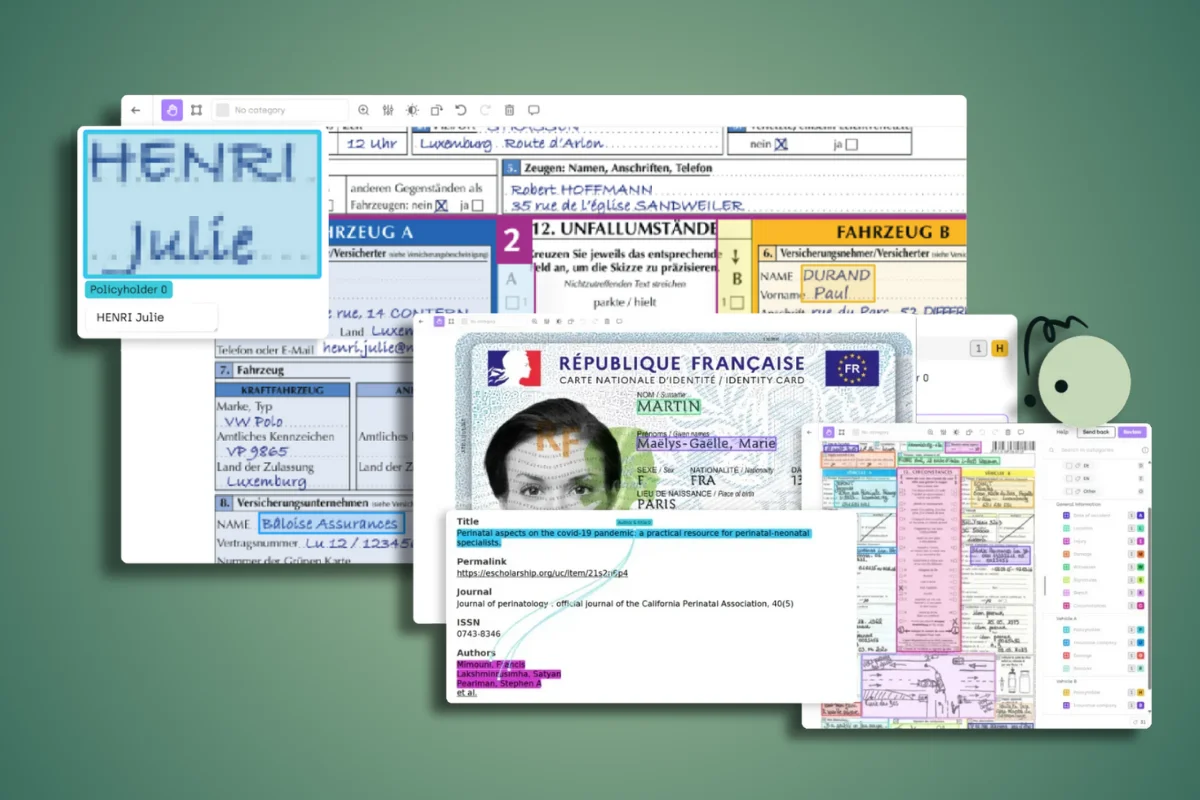
Kili Technology's platform supports specialized OCR workflows through:
- Optical character recognition job types with built-in transcription capabilities
- Metadata integration for pre-annotated text from existing OCR engines like Google Vision API, AWS Textract, or Azure Computer Vision
- Nested classification jobs for field-level semantic tagging
- Zoom and pan controls for examining document details at high resolution
- Support for various input formats including PDF documents, TIFF files, and standard image files
Phase 3: The Labeling Process
Initial Annotation
For most OCR projects, a hybrid approach works best:
- Model-based pre-annotation: Use existing OCR engines and optical character recognition software (like Google Vision API, AWS Textract, or Azure Computer Vision) to generate initial annotations through automated data extraction. These OCR tools can process scanned documents, PDF files, and image files to extract text and create searchable text. Kili supports importing these predictions as pre-annotations, significantly accelerating the labeling process while reducing file size through efficient storage of extracted data.
- Manual refinement: Labelers review and correct pre-annotations, focusing on:
- Correcting misrecognized characters and read characters errors
- Adjusting bounding box boundaries
- Adding missing text regions
- Validating field classifications and structured information
- Ensuring accuracy with unusual fonts or degraded document content
- Complex region handling: For challenging areas (handwritten sections, degraded text, complex layouts), labelers perform manual annotation from scratch using OCR work best practices.
Expert Validation Layer
This is where Kili's collaborative approach becomes essential. After initial labeling:
- Domain experts review field-level accuracy: A financial analyst validates that extracted invoice fields make logical sense (subtotals sum to totals, tax calculations are correct).
- Language specialists check multilingual content: Native speakers verify text in their respective languages.
- Subject matter experts validate terminology: Medical professionals confirm diagnosis codes, legal experts review contract clauses.
This validation layer catches errors that pure OCR accuracy metrics miss—like correctly transcribed text that's been assigned to the wrong semantic field.
Phase 4: Quality Management
Implement Multi-Step Review Workflows
Kili's multi-step workflow feature allows you to create structured quality pipelines:
- Labeling step: Initial annotation by trained labelers
- OCR validation step: Technical review for character accuracy and bounding box precision
- Domain validation step: Expert review for semantic correctness and field relationships
- Final approval step: Project manager oversight before data enters training pipeline
Each step can be assigned to different team members with appropriate expertise, and the platform automatically manages asset progression through the workflow.
Leverage Quality Metrics
Track and optimize your OCR labeling quality using:
- Consensus measurements: When multiple labelers annotate the same document, measure agreement on character-level transcription and bounding box overlap. Kili's consensus feature helps identify ambiguous cases requiring additional guidance.
- Honeypot validation: Include ground-truth documents with known correct annotations in your labeling queue. Monitor labeler performance against these reference documents to identify when additional training is needed.
- Review scores: Track the percentage of labels requiring corrections during review steps. Set quality thresholds (e.g., 95% of labels should pass review without changes) to maintain data quality.
Establish Clear Labeling Instructions
OCR projects require detailed guidelines covering:
- How to handle ambiguous characters (is that a "0" or an "O"?)
- Conventions for formatting (preserve original line breaks or normalize?)
- Treatment of special cases (strike-through text, handwritten corrections, multi-column layouts)
- Field extraction rules for your specific document types
Make these instructions accessible directly from the labeling interface, and update them based on questions raised during labeling.
Understanding OCR Output Formats
OCR software can extract text and save it in multiple formats to support different downstream applications:
Searchable PDF: The most common output format, preserving the original layout while embedding machine-readable text beneath the image. This allows users to search and copy text while viewing the original document appearance.
Editable Text Formats: Converting scanned documents into editable formats like Microsoft Word, Google Docs, or plain text files enables content editing and reuse.
Structured Data: For form processing and data extraction, OCR systems can output structured information as JSON, XML, or CSV files, with fields organized for database import or business application integration.
Multi-Format Support: OCR software can extract text from various input formats including JPG, JPEG, PNG, BMP, TIFF files, and PDF format, while supporting output to virtually any text-based format.
The choice of output format depends on your use case—whether you need to maintain the original layout, edit extracted content, integrate data into business systems, or create searchable archives from historical documents.
Advanced OCR Labeling Techniques
Handling Document Structure and Layout
Modern document AI systems need to understand not just what text appears in a document, but how that text is organized:
Reading Order Annotation: For complex multi-column layouts or forms, label the sequence in which text should be read. This might involve numbering text regions or using specialized reading-order annotation tools.
Hierarchical Relationships: Tag relationships between document elements—this header applies to these line items, this footnote references this table cell. These relationships are crucial for document understanding systems.
Table Extraction: Tables present special challenges for OCR. Label table structures by marking:
- Row and column boundaries
- Header rows and columns
- Cell contents and span information
- Table captions and footnotes
Working with Handwritten Text
Handwritten OCR requires additional considerations:
Character-Level Segmentation: Unlike printed text with clear character boundaries, handwritten text often requires labelers to mark where one character ends and the next begins.
Alternative Interpretations: Ambiguous handwriting may require labeling multiple possible interpretations with confidence scores rather than a single "correct" transcription.
Writer-Specific Models: For applications processing documents from a limited set of writers (like medical professionals), label training data with writer IDs to enable personalized recognition models.
Multi-Language and Multi-Script Documents
When labeling documents containing multiple languages:
- Tag language at appropriate granularity: Label language switches at the word, line, or region level depending on your model architecture.
- Handle script mixing: Documents may mix Latin characters with Cyrillic, Arabic, Chinese, or other scripts. Ensure your labeling schema accommodates all scripts present.
- Specialized language expertise: Route documents or regions to labelers with appropriate language skills. Kili's member management allows you to assign specific users to handle specific language content.
Automating and Scaling Your OCR Labeling Pipeline
As OCR projects grow from proof-of-concept to production scale, automation becomes essential:
Model-in-the-Loop Labeling
Implement an iterative approach where:
- Initial model training: Train your first OCR model on a relatively small labeled dataset (perhaps 1,000-5,000 documents).
- Active learning: Use the model to pre-annotate new documents, but prioritize human review on:
- Documents where the model has low confidence
- Document types underrepresented in training data
- Regions containing text the model hasn't seen before
- Continuous improvement: As labelers correct model predictions, incorporate these corrections into regular retraining cycles.
This approach, supported by Kili's model-based pre-annotation features, can reduce labeling time by 50-70% while maintaining quality.
Programmatic Quality Assurance
For large-scale OCR projects, implement automated quality checks that flag potential issues:
- Character-level validation: Check that transcriptions don't contain impossible character sequences
- Field format validation: Verify that email fields contain "@" symbols, phone numbers match expected patterns, dates follow logical formats
- Cross-field consistency: Flag when related fields don't align logically (e.g., a date of birth that would make someone 150 years old)
These checks can be implemented as Kili plugins or through the API, automatically creating issues on problematic labels for human review.
Managing Labeler Specialization
Not all OCR labeling requires the same expertise:
- Tier 1 labelers: Handle straightforward transcription tasks on high-quality documents
- Tier 2 specialists: Process challenging documents requiring domain knowledge
- Expert reviewers: Validate field-level accuracy and semantic correctness
Use Kili's role-based access and workflow features to route different document types or complexity levels to appropriate team members, optimizing both quality and efficiency.
Industry-Specific OCR Applications
Healthcare and Life Sciences
OCR in healthcare presents unique challenges and opportunities for transforming patient records and medical documentation:
Medical Records Digitization: Converting printed paper documents, handwritten physician notes, and handwritten prescriptions into machine-readable text requires:
- Understanding medical terminology and abbreviations
- Validating medication names and dosages with high accuracy to prevent errors
- Maintaining strict privacy controls on training data and patient records
- Converting handwritten prescriptions into Electronic Health Records (EHR) in under 60 seconds
- Extracting structured information from diverse medical document types
Clinical Data Extraction: Extracting structured information from clinical documents for research or population health analysis requires domain experts who can:
- Identify relationships between diagnoses, treatments, and outcomes
- Recognize equivalent terms for medical conditions
- Validate temporal sequences in patient histories
- Process both printed documents and handwritten notes from healthcare providers
At one healthcare organization using Kili's platform, clinical coders with deep medical expertise validate OCR extractions before they enter electronic health record systems. This expert validation layer catches errors that would be invisible to general labelers—like confusing similar medication names or misreading critical dosage decimals.
The platform's OCR technology enables the creation of searchable digital archives while ensuring that extracted data meets the accuracy requirements necessary for patient care and regulatory compliance.
Financial Services and Insurance
Financial document processing demands extreme accuracy, with OCR processing playing a critical role in automating workflows while reducing costs by 30-50%:
Invoice and Receipt Processing: Automated accounts payable systems process thousands of invoices and receipts daily using OCR software. OCR systems must extract:
- Vendor information, invoice numbers, dates
- Line item details with descriptions, quantities, unit prices
- Subtotals, tax amounts, and final totals
- Payment terms and banking information
Expert validation ensures mathematical consistency—line items sum to subtotals, tax calculations are correct, and payment amounts match invoice totals.
Banking Operations: OCR technology automates check processing, processes bank statements, and handles loan documents. Customer onboarding processes automate identity verification (KYC) by extracting data from passports, IDs, and utility bills in real-time using automated data extraction.
Insurance Claims Processing: Claim forms combine structured fields with free-text descriptions. OCR tools extract structured information while domain experts validate that:
- Procedure codes align with diagnoses
- Dates of service fall within coverage periods
- Claimed amounts match reasonable and customary fees
Compliance Documentation: Financial services firms processing regulatory filings or compliance documents require OCR systems that maintain audit trails and achieve near-perfect accuracy on critical fields. The technology can identify fields and extract structured information from various form types while converting scanned documents into searchable PDFs for regulatory review. Kili's quality workflow features provide the documentation needed for regulatory compliance.
Fraud prevention systems integrated with OCR work to validate document authenticity and detect tampered signatures or inconsistent data across business documents.
Legal Document Processing
Legal document OCR presents challenges of scale and precision, requiring optical character recognition software that can handle complex legal documents while maintaining accuracy:
Contract Analysis: Extracting key terms from contracts requires understanding legal language and converting scanned documents into searchable text:
- Identifying party names, effective dates, and termination clauses
- Recognizing boilerplate language versus custom provisions
- Maintaining exact wording for legal interpretation
- Converting image-only PDFs and printed paper documents into editable text
eDiscovery: Processing thousands of legal documents for litigation support requires OCR systems that can:
- Perform accurate text extraction from documents of varying quality
- Preserve metadata (dates, authors, document types) from the original layout
- Create searchable PDFs while maintaining document authenticity
- Redact privileged or sensitive information
Legal professionals validate that OCR technology correctly interprets terms of art, identifies key clauses, and maintains the precise language critical for legal analysis. The technology enables the creation of searchable digital archives from historical case files and enables document routing for case management workflows.
Manufacturing and Quality Control
OCR supports manufacturing through:
Serial Number and Part Tracking: Reading alphanumeric codes on components, even when printed on curved surfaces or under challenging lighting conditions.
Quality Inspection Documentation: Digitizing handwritten inspection reports and maintenance logs, with validation by quality engineers who understand acceptable ranges and critical measurements.
Compliance Labeling: Verifying that product labels contain required information in the correct format, validated by regulatory compliance specialists.
Best Practices for OCR Data Labeling Projects
Based on hundreds of OCR projects across industries, here are proven best practices:
1. Start with Clear Success Metrics
Define what "good enough" means for your use case:
- Character Error Rate (CER): Percentage of incorrectly recognized characters
- Word Error Rate (WER): Percentage of incorrectly recognized words
- Field Extraction Accuracy: Percentage of correctly extracted semantic fields
- End-to-end accuracy: For your specific business process, what accuracy prevents downstream errors?
Different applications have different thresholds. Modern OCR systems achieve 98-99% accuracy for printed text and 90-95% for handwritten content—significantly higher than the ~96% average for manual data entry. General document archival might accept 95% accuracy, while financial amount extraction from bank statements or invoice processing might require 99.9% to prevent costly errors.
2. Invest in Labeling Guidelines
Comprehensive instructions reduce inconsistency and accelerate labeling:
- Include visual examples of correct annotations
- Cover edge cases and ambiguous situations
- Provide decision trees for common questions
- Update guidelines based on labeler questions and review findings
3. Balance Speed and Quality
Faster isn't always better:
- Pre-annotation with existing OCR engines accelerates throughput
- But rushing validation steps introduces errors that undermine model performance
- Find the right balance through A/B testing different workflows
4. Enable Continuous Feedback
Create feedback loops between labelers, reviewers, and data scientists:
- Regular calibration sessions where team members discuss challenging examples
- Issue tracking for systematic problems requiring guideline updates
- Analytics dashboards showing quality trends over time
Kili's questions and issues feature facilitates this collaboration, allowing labelers to flag uncertainties and receive guidance from domain experts or project managers.
5. Plan for Edge Cases
Your OCR model will encounter unexpected documents in production:
- Collect edge cases during initial deployment
- Prioritize labeling these challenging examples
- Continuously expand your training data diversity
6. Maintain Data Privacy and Security
OCR projects often involve sensitive information from business documents, patient records, bank statements, and legal documents:
- Redact or anonymize PII before labeling when possible
- Use secure labeling platforms with appropriate access controls
- For highly sensitive documents like loan documents, patient records, or financial records, consider on-premise deployment options
- Maintain audit trails of who accessed which documents
- Ensure compliance with regulations like HIPAA for healthcare documents or GDPR for European data
Kili Technology's enterprise security features and on-premise deployment options support organizations with stringent data governance requirements, enabling them to process sensitive printed paper documents and scanned documents while maintaining security controls.
Measuring ROI of Expert OCR Data
Building expert AI data through collaborative validation requires investment. Here's how to measure the return:
Reduced Downstream Errors
When domain experts validate OCR outputs, organizations see measurable improvements:
- Financial organizations report 60-80% reduction in payment processing errors when using expert-validated OCR data
- Healthcare providers catch medication transcription errors before they reach patient care systems, preventing potentially life-threatening mistakes
- Legal teams spend less time correcting errors in processed discovery documents
- OCR technology reduces document processing costs by 30-50% in regulated sectors by eliminating manual labor and physical storage requirements
- Automated data extraction transforms hours of manual work into seconds, significantly improving workflow efficiency
Faster Time to Production
Involving domain experts early in the labeling process:
- Reduces the number of training iterations needed to reach production quality
- Catches semantic errors that wouldn't appear in standard accuracy metrics
- Builds stakeholder confidence in AI systems, accelerating adoption
One insurance company using Kili's collaborative platform reduced their OCR development timeline from 8 months to 3 months by enabling claims processors to validate training data directly, rather than routing all questions through the data science team.
Improved Labeling Efficiency
Kili's productivity features deliver measurable efficiency gains:
- Model-based pre-annotation: 50-70% reduction in labeling time
- Smart tracking for video and document sequences: Automatic propagation of annotations across similar content
- Keyboard shortcuts and interface optimizations: 15-20% faster labeling for experienced annotators
Getting Started with OCR Data Labeling on Kili
Ready to build expert AI data for your OCR project? Here's how to begin:
1. Define Your Document Scope
Identify:
- Document types you'll process (invoices, forms, contracts, etc.)
- Key fields to extract from each document type
- Accuracy requirements for your use case
- Volume and variety of documents to label
2. Set Up Your Project
Configure your Kili project with:
- Appropriate labeling jobs for your needs (bounding boxes, transcription, classification)
- Pre-annotation integration if you're using existing OCR engines
- Multi-step workflow matching your review process
- Team members with appropriate roles (labelers, domain experts, reviewers)
3. Create Comprehensive Instructions
Develop labeling guidelines covering:
- Your document types and their characteristics
- Field definitions and extraction rules
- Edge case handling procedures
- Quality standards and examples
4. Start with a Pilot
Before scaling to thousands of documents:
- Label 50-100 representative documents
- Review quality and refine your instructions
- Calculate how long labeling takes to project timelines
- Train your first model to validate that labeled data drives improvement
5. Scale with Quality Controls
As you expand:
- Implement consensus checks on a sample of documents
- Use honeypot documents to monitor labeler performance
- Track quality metrics and address issues promptly
- Regularly update your model and iterate on difficult cases
6. Involve Domain Experts
Configure workflows that:
- Route specialized documents to appropriate experts
- Enable experts to validate field-level accuracy
- Capture expert feedback to improve guidelines
- Build cross-functional collaboration between data science and business teams
The Future of OCR and Expert AI Data
OCR technology continues to evolve rapidly, building on the foundational technology established in the early 1990s:
Multimodal Document Understanding: Next-generation OCR systems will combine optical character recognition with visual understanding, analyzing document layouts, logos, signatures, and images alongside text extraction. These intelligent character recognition systems will understand context beyond simple pattern recognition.
Few-Shot Learning: Advanced machine learning approaches require less training data, but the data they do use must be exceptionally high quality—making expert validation even more critical for achieving the 98-99% accuracy standards expected in production environments.
Context-Aware Extraction: Future OCR engines will better understand document content and business logic, extracting structured information while validating relationships between fields. This will require training data labeled by people who understand those contexts and can validate extracted data against business rules.
Real-Time Processing: OCR technology can be embedded directly into business applications for real-time text extraction, enabling instant processing of scanned documents, image files, and PDF documents as they're received.
Enhanced Accessibility: Continued improvements in OCR work will enable greater access to data for visually impaired users, with more accurate conversion of printed text into speech or Braille through advanced screen readers.
Online OCR Services: Cloud-based OCR processing will continue to democratize access to optical character recognition software, allowing businesses of all sizes to convert images and scanned documents into machine-readable text without significant infrastructure investment.
At Kili Technology, we believe the future of OCR is collaborative AI—where domain experts and data scientists work together to build systems that combine technical sophistication with real-world understanding, creating searchable text from diverse document types while maintaining the accuracy and reliability that enterprise applications demand.
Conclusion
OCR data labeling is more than transcription—it's about capturing the expertise, context, and nuances that make document AI systems actually work in production environments. From converting scanned PDFs into searchable text to extracting structured information from business documents, the quality of your training data determines whether your OCR technology delivers on its promise.
Modern optical character recognition software achieves impressive accuracy rates—98-99% for printed text and 90-95% for handwritten content—but only when trained on expert-validated data that captures real-world document variability. Whether you're digitizing patient records, processing invoices and receipts, analyzing legal documents, or enabling any other document-based workflow, expert AI data makes the difference between a system that works in the lab and one that performs reliably in production.
By bringing together data scientists, domain experts, and subject matter specialists in a collaborative platform, you can build expert AI data that delivers real business value: fewer errors, faster processing through automated data extraction, reduced document processing costs of 30-50%, and OCR systems that earn user trust while enabling access to data across your organization.
The technology eliminates or significantly reduces the need for manual data entry, transforms hours of manual work into seconds, and creates searchable digital archives from printed paper documents—but only when the underlying training data reflects the expertise needed to handle edge cases, unusual fonts, complex layouts, and the full diversity of real-world documents.
Ready to build expert AI data for your OCR project? Kili Technology's platform makes it possible for your entire team—technical and non-technical alike—to collaborate on creating the high-quality training data your OCR engines need to convert images, process PDF files, extract text accurately, and deliver the machine-readable text documents that power your digital transformation.
Resources and Further Reading
- Using Optical Character Recognition - Official Kili documentation on OCR labeling
- Model-Based Pre-Annotation - Guide to accelerating OCR labeling with existing models
- Multi-Step Workflow - Setting up quality review processes
- Best Practices for Quality Workflow - Quality management strategies
Frequently Asked Questions
What is OCR data labeling?
OCR data labeling is the process of annotating documents — scanned pages, PDFs, handwritten forms, receipts — with structured labels that teach AI models to recognize and extract text. This includes marking text regions, transcribing content, classifying fields, and defining spatial relationships between elements on a page.
Why does OCR still require human labeling?
Off-the-shelf OCR engines handle clean, typed text well, but struggle with handwriting, poor scan quality, complex layouts, multilingual documents, and domain-specific formatting. Human annotators provide the ground truth labels that train OCR models to handle these harder cases accurately.
What types of annotations are used in OCR labeling?
Common annotation types include bounding boxes around text regions, polygon annotations for irregular layouts, text transcription of each region, field classification (e.g., "invoice number," "date," "amount"), and key-value pair extraction for structured documents like forms and receipts.
How do you ensure quality in OCR annotation projects?
Quality control for OCR projects typically involves multi-reviewer consensus, automated consistency checks, inter-annotator agreement scoring, and iterative feedback loops. High-accuracy OCR training data usually requires specialized annotators who understand the document domain.
What industries benefit most from OCR data labeling?
Industries with heavy document processing see the greatest returns: financial services (invoices, statements), healthcare (medical records, prescriptions), insurance (claims, policies), legal (contracts, filings), and government (identity documents, tax forms). Any workflow that involves extracting information from physical or scanned documents benefits from OCR AI.
How long does an OCR labeling project take?
Timeline depends on document complexity, volume, and quality requirements. A simple classification project might take days. A large-scale handwriting recognition dataset with multi-language support and nested field extraction can take weeks to months. Pre-annotation with existing OCR models can reduce timeline significantly.
Can Kili Technology handle OCR annotation?
Yes. Kili Technology supports the full OCR annotation workflow: bounding box and polygon annotations on document images, text transcription, field classification, and key-value pair extraction. The platform includes model-assisted pre-labeling, multi-reviewer quality workflows, and native support for PDF and image-based documents.
Build Document AI That Actually Works
Kili Technology provides the annotation infrastructure for high-accuracy OCR and document understanding projects. From bounding boxes to key-value extraction, the platform supports every OCR annotation type with built-in quality controls, pre-labeling, and workforce management — across PDFs, scans, and image-based documents.