.png)

_logo%201.svg)


AI Summary
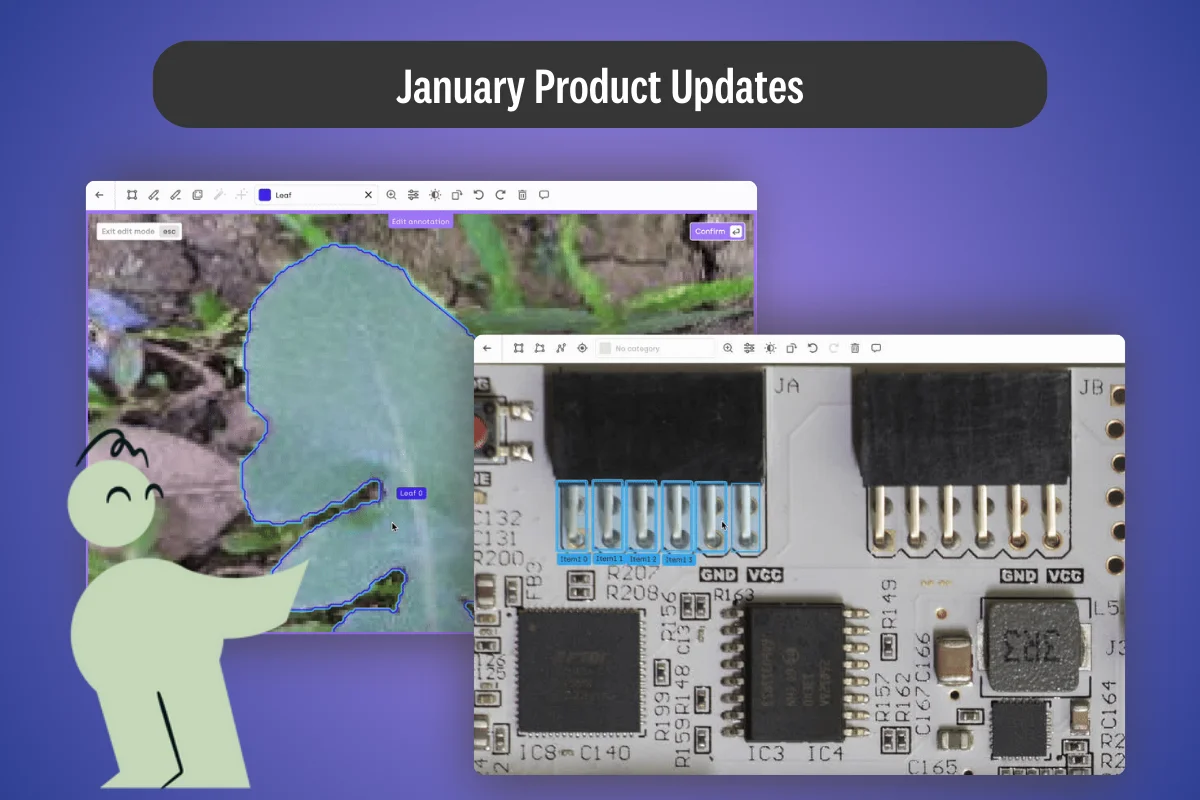
- Multi-select, copy, paste, and drag operations on image annotations cut circuit-board labeling from 30–45 minutes to 10–15 minutes, a 60% reduction while improving label consistency.
- Consistent annotation patterns produced by bulk operations help models learn cleaner features and generalize better to production data.
- The new node editor (private beta) enables pixel-level edits to semantic segmentation masks, targeting use cases like leaf-level disease detection where close enough introduces training noise.
- GeoJSON exports now include sub-job attributes automatically, removing post-processing steps for geospatial pipelines feeding QGIS, ArcGIS, or custom workflows.
- The Kili Python SDK gains support for kili-sdk-config.json, centralizing API keys, endpoints, and TLS settings for teams managing multiple projects or environment-specific configurations.
- Try bulk annotations today in any image project, or contact support to request node-editor beta access for projects requiring pixel-perfect segmentation.
The Labeling Bottleneck
Picture this: You're building an AI model for quality inspection on electronics manufacturing lines. Each circuit board contains dozens of identical components—resistors, capacitors, ICs—that need to be labeled for defect detection. Or perhaps you're developing an agricultural monitoring system that requires precise segmentation of individual leaves to detect disease patterns.
In both scenarios, the traditional approach hits the same wall: tedious, time-consuming manual work. Drawing bounding boxes around 50 identical components, one at a time. Adjusting segmentation masks pixel by pixel, zooming in and out endlessly to get the curves just right.
The result? Bottlenecked projects, burned-out annotators, and AI models that take months to reach production.
In January, we'vee changed that equation.
Multi-Select Annotations: Work Smarter, Not Harder
The Problem in Practice
Take electronics quality inspection as an example. Modern circuit boards are dense with components—chips, connectors, resistors, capacitors—often arranged in regular patterns. When building training data for defect detection models, you need to label every component, every pin, every connection point.
Traditional tools force you into a repetitive loop: select the bounding box tool, draw around component #1, classify it, move to component #2, repeat. For a single board with 100+ components, this process can take 30-45 minutes of focused annotation time.
The Solution: Bulk Annotation Management
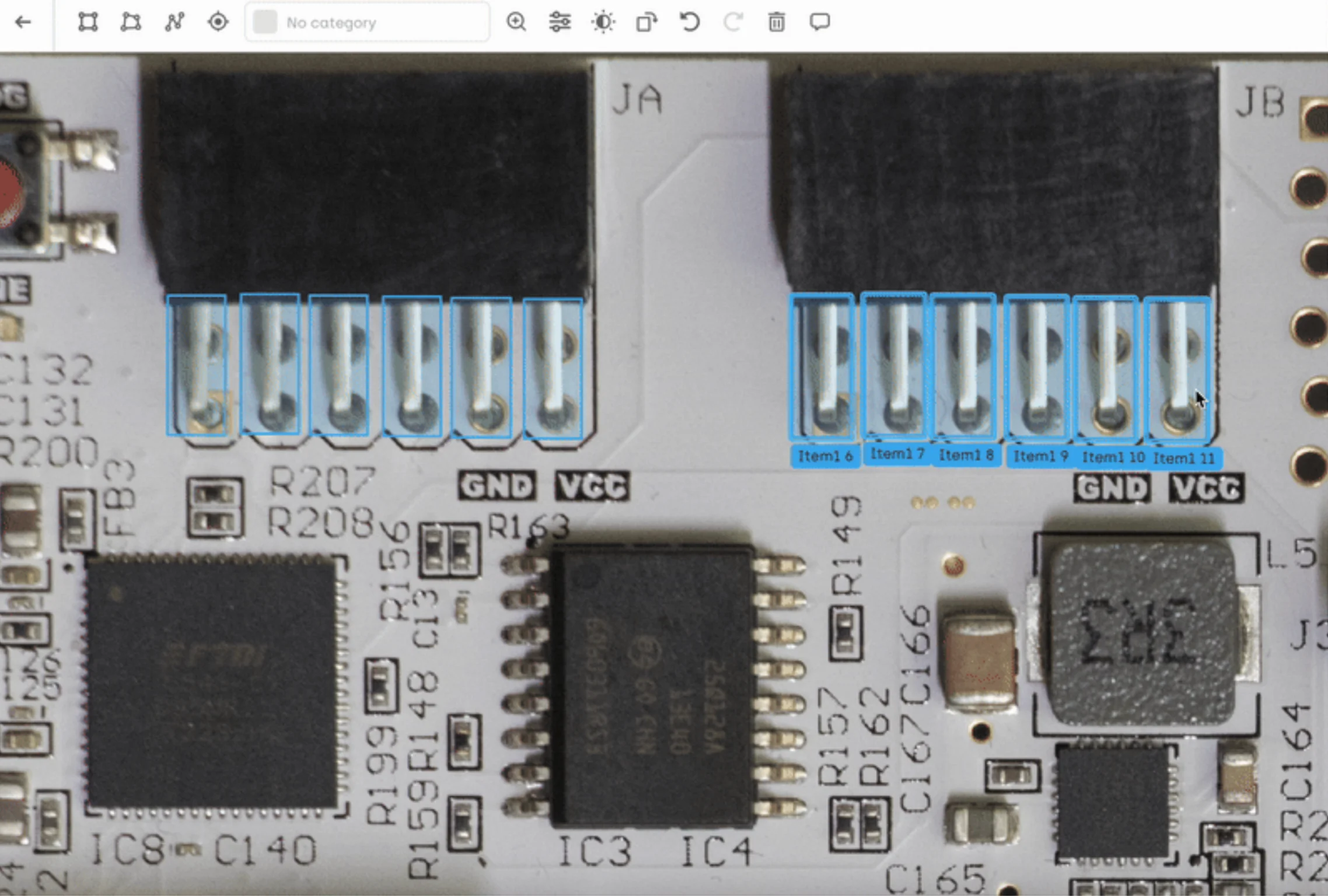
Starting this month, Kili supports multi-select, copy, paste, and drag operations for annotations in image projects.
Real-World Impact: Electronics Manufacturing
In our circuit board inspection example, annotators can now:
- Label one complete row of pins on a connector (6 bounding boxes)
- Copy that entire set
- Paste and position it for the next connector
- Adjust individual boxes as needed for manufacturing variations
Time saved: What took 30-45 minutes now takes 10-15 minutes—a 60% reduction in annotation time while maintaining quality.
This isn't just about speed. Consistent patterns lead to higher quality training data. When similar components are labeled with similar box sizes and positions, your model learns cleaner patterns and generalizes better to production data.
.webp)
Node Editor: Pixel-Perfect Segmentation for Complex Shapes
When Precision Matters Most
Some annotation tasks demand pixel-perfect accuracy. Agricultural monitoring systems that detect plant diseases by analyzing individual leaves. Medical imaging applications identifying tissue boundaries. Environmental monitoring projects segmenting individual trees in forest canopy imagery.
These applications can't tolerate "close enough" segmentations. A mask that includes part of the background or cuts off part of the leaf introduces noise that degrades model performance—especially when dealing with subtle patterns like early-stage disease symptoms.
Introducing: Node-Level Editing (Private Beta)
Our new node editor for semantic annotations gives you surgical precision over every curve and corner of your segmentation masks.
How it works:
- Double-click any semantic annotation to enter node editing mode
- Individual nodes become visible along the annotation boundary
- Drag nodes to adjust curves and corners with pixel-level precision
- Delete nodes to simplify shapes or press Delete to remove entire sections
- Exit node mode to return to standard editing
Real-World Impact: Agricultural Monitoring
Consider the leaf segmentation challenge. Leaves have complex, irregular shapes with serrated edges, stems, and holes from insect damage. Standard segmentation tools can capture the general shape, but miss the fine details that matter for disease detection.
With node editing:
- Refine complex edges: Adjust individual points along serrated leaf edges
- Handle occlusions: Precisely cut out sections where leaves overlap
- Preserve fine details: Maintain the exact shape of damaged or diseased areas that serve as critical training signals
The result: Training data that captures the nuances your model needs to distinguish healthy leaves from diseased ones, early-stage symptoms from advanced infections, and real damage from shadows or discoloration.
Note: The node editor is currently in private beta and not enabled by default. Interested in testing it for your use cases? Contact our support team to request early access.
Beyond Image Labeling: What Else Shipped in January
Enhanced GeoJSON Exports for Geospatial Projects
Sub-jobs associated with objects are now automatically included as attributes in GeoJSON exports. This means your land classification projects, infrastructure mapping work, or environmental monitoring datasets now export with all metadata intact—ready to drop directly into QGIS, ArcGIS, or your custom geospatial pipelines.
Why it matters: No more post-processing scripts to match annotations with their attributes. Your pipeline gets cleaner, and your team saves hours on every export cycle.
SDK Configuration Made Simple
For teams building programmatic workflows with the Kili Python SDK, we've introduced support for kili-sdk-config.json configuration files. Define your API keys, endpoints, TLS verification settings, and logging preferences in one centralized location—or use environment variables for even more flexibility.
Perfect for:
- Data science teams managing multiple projects with different configurations
- MLOps pipelines that need environment-specific settings
- Organizations standardizing SDK usage across teams
View full SDK configuration documentation →
Under the Hood: Quality & Reliability Improvements
We've also resolved several issues that improve workflow stability:
✅ Fixed smart tool boundary handling in image projects
✅ Corrected bounding box resizing cursor orientation
✅ Resolved user role assignment inconsistencies
✅ Improved workflow state management for sent-back labels
✅ Fixed geospatial layer visibility toggling
Getting Started with January's Features
Try Bulk Annotations Today
Multi-select, copy, paste, and drag functionality is now live in all image projects. No configuration needed—just start selecting multiple annotations in your next labeling session.
Request Node Editor Beta Access
If your projects require pixel-perfect segmentation—medical imaging, agricultural monitoring, quality inspection, or any application where fine details matter—we'd love to hear from you.
Include details about your use case and project requirements. Our team will work with you to evaluate fit and enable the feature in your workspace.
Start Building Better AI Data
Whether you're inspecting circuit boards, monitoring agricultural fields, or building the next breakthrough AI application, quality training data is your competitive advantage.
These new tools give you the precision and productivity to build that advantage faster.
Ready to see these features in action?
Schedule a demo with our team →